
WhoDB Platform user manual
Note
Looking for WhoDB Community? Open the Community documentation for installation, database browsing, Scratchpad, Graph, and the Community CLI. This manual covers Platform projects, transforms, entities, apps, and team administration.
Use this manual alongside Platform. Each workflow names the sidebar section, the form or tab to open, the values to supply, and the result to check. Screenshots show the running application with synthetic data; they switch between light and dark with this site's theme.
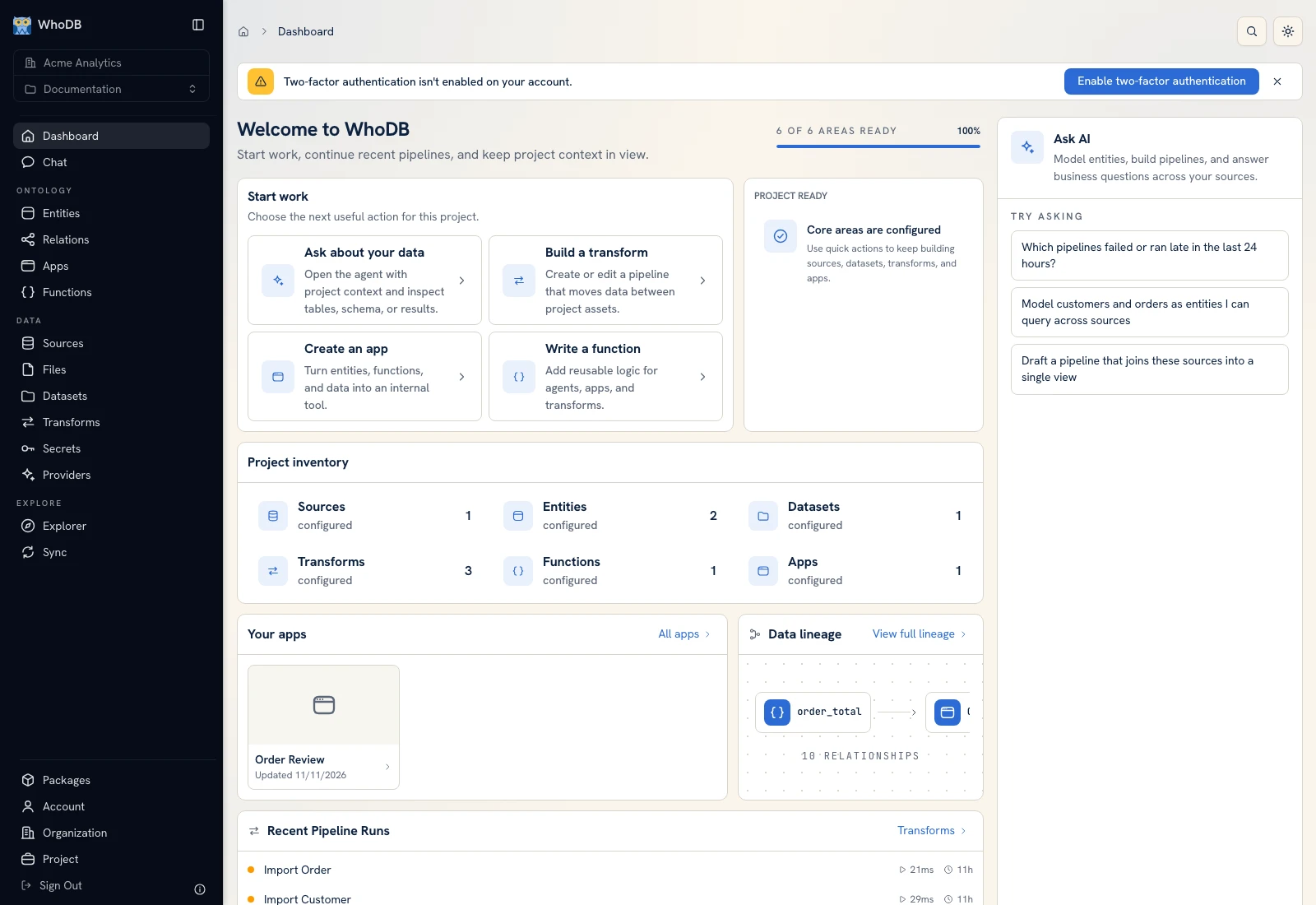 The Documentation project dashboard, showing its inventory and starting actions.
 The Documentation project dashboard, showing its inventory and starting actions.
Find the instructions for your task#
| Task | Guide |
|---|---|
| Find a screen, change projects, or reopen an app | Navigation |
| Follow one complete example | Orders tutorial |
| Solve a practical business problem | 20 business use cases, including retail taxonomy classification |
| Connect a database and inspect records | Sources, then Browse a source |
| Upload a spreadsheet and create a table | Upload files, then Promote a file |
| Create a managed destination | Datasets or Entities |
| Copy source records into entities | Import to an entity |
| Build a visual pipeline | Transforms, then the node reference |
| Build a screen for teammates | Create an app, then Builder workspace |
| Write and test reusable code | Functions |
| Invite a colleague and grant access | Members and Sharing |
| Recover content or configure protection | Trash and Backups |
The example workspace#
The examples use an organization called Acme Analytics and a project called Documentation. Its source is Commerce Postgres. The database contains four synthetic customers and six orders; a managed Customer and Order entity receive imported copies. A CSV called orders.csv, a dataset called order_snapshot, an app called Order Review, and a function called order_total provide the rest of the walkthrough.
Names such as maya@example.test are demonstration records. Replace the examples with your own resources in your own project. Do not enter the local development connection settings into a hosted Platform instance.
Check three different outcomes#
Saving a resource proves that its configuration was accepted. A successful run proves that execution completed. Inspecting the resulting records proves that the operation produced the intended data. The guides call out those checks separately because one does not establish the others.
If you are starting from Community, follow Move from Community. If a control is absent, first check your workspace, resource role, and the feature's runtime requirements in Troubleshooting.
Was this page helpful?