
Getting Started
Why Choose WhoDB?
Why Choose WhoDB?
WhoDB is the modern database management tool that developers actually want to use. Unlike bloated legacy tools, WhoDB delivers a lightning-fast, intuitive experience that makes working with databases enjoyable instead of frustrating.
The Problem with Traditional Database Tools
Traditional database management tools like phpMyAdmin, pgAdmin, and others were built for a different era. They're:
- Slow and Resource-Intensive: Heavy desktop applications that consume gigabytes of RAM
- Cluttered Interfaces: Dozens of menus, toolbars, and options that hide what you actually need
- Difficult to Learn: Steep learning curves that waste hours of productive time
- Poor Visualization: Limited or non-existent schema visualization capabilities
- Inconsistent Experience: Different tools for different databases, each with unique quirks
Warning
Context switching between tools and wrestling with clunky interfaces costs real development time every week.
The WhoDB Difference
WhoDB was built from the ground up to solve these problems with a focus on speed, simplicity, and developer experience.
1. Lightning Fast Performance
Lightweight Go backend and browser UI, without a heavy desktop client
Query views stay focused on the current result set, page size, and filters
Small server process compared with full desktop database IDEs
No installation required - access from any device with a browser
2. Beautifully Simple Interface
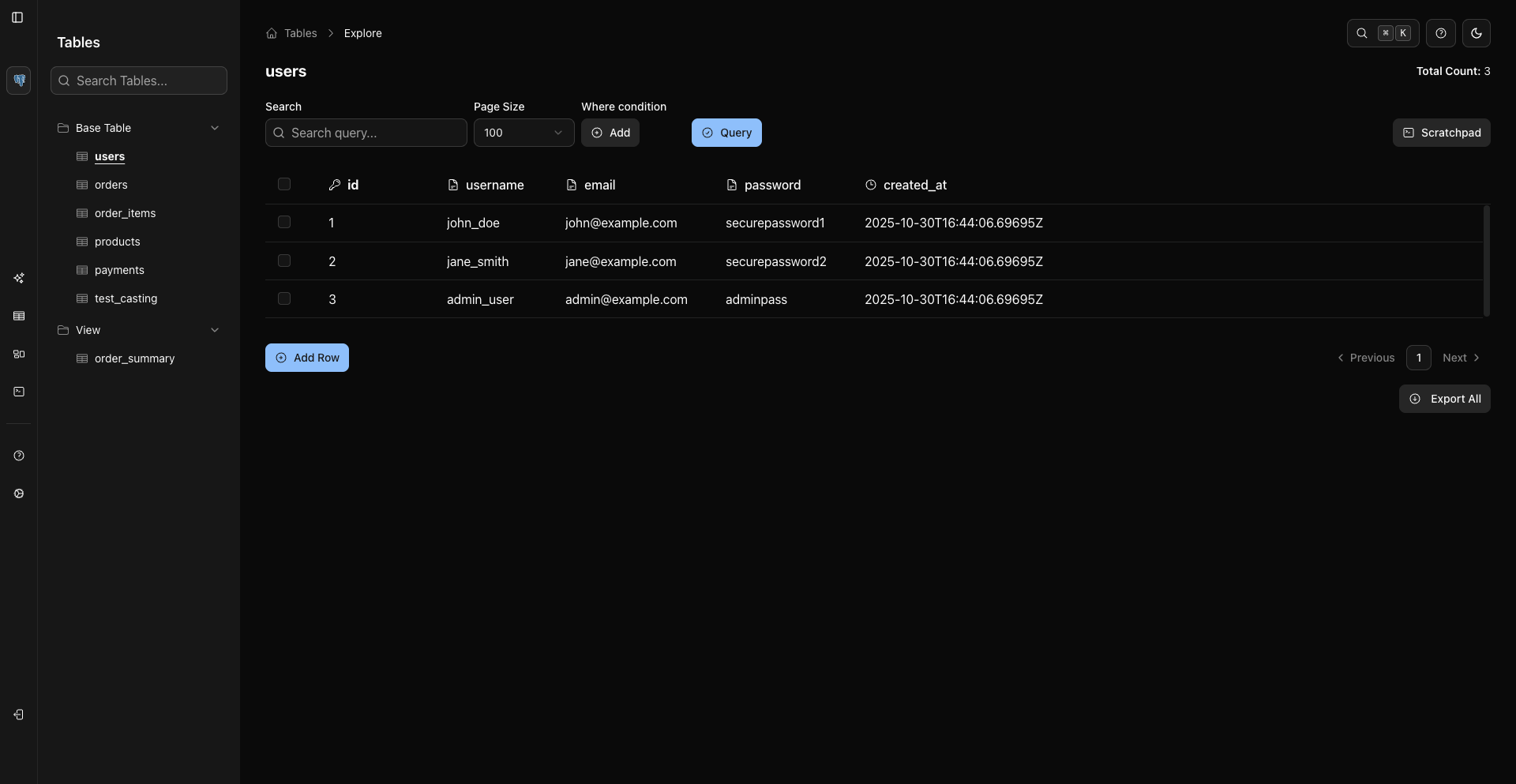
WhoDB's clean, modern interface eliminates clutter and puts your data front and center.
Tip
New users become productive in minutes, not hours. No training required.
3. Visual Schema Explorer
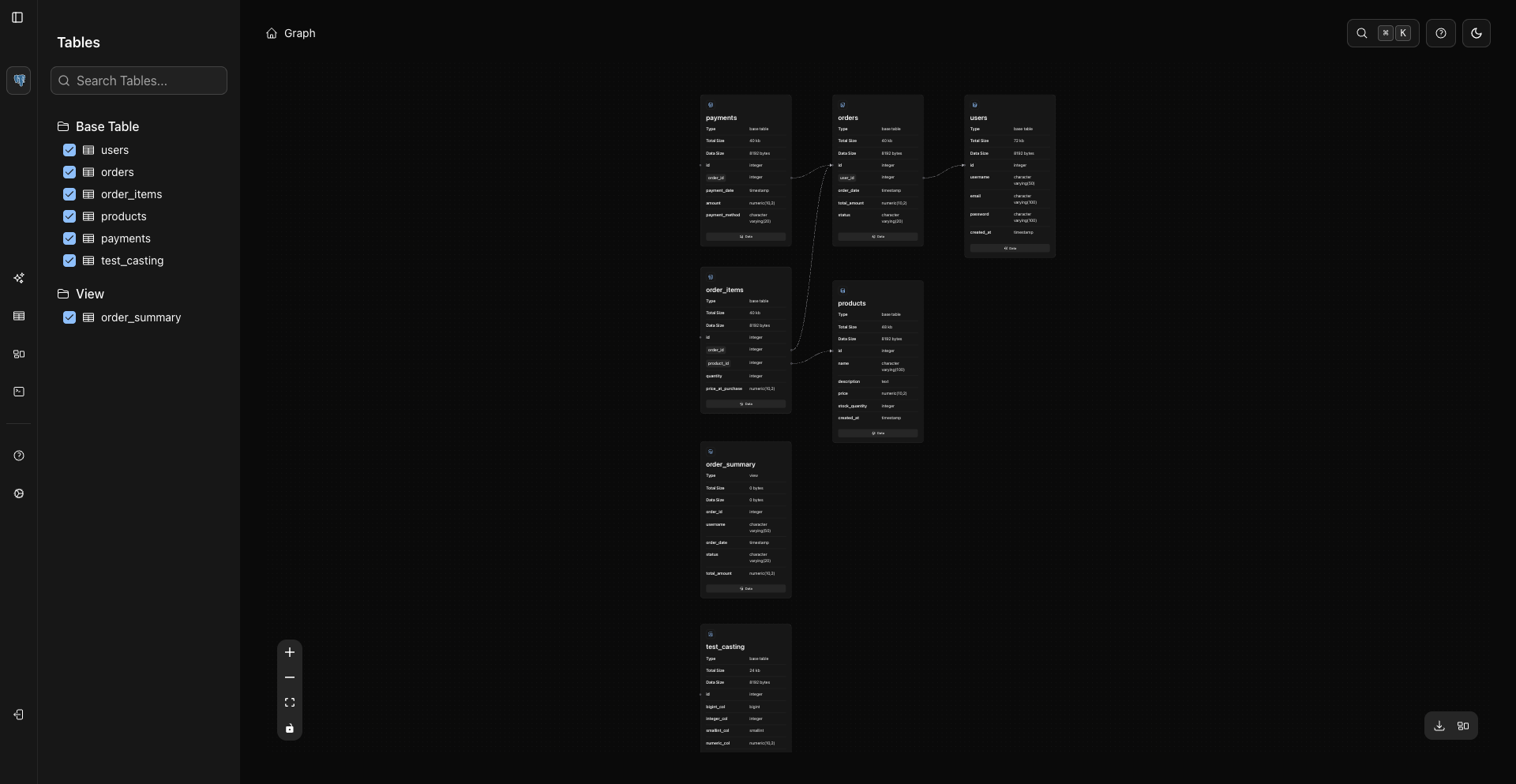
Understanding database relationships has never been easier. WhoDB's interactive graph view shows your entire schema at a glance.
4. Multi-Database Support
One tool for all your databases. Why juggle multiple database tools when WhoDB supports them all?
Full support for PostgreSQL
Complete MySQL and MariaDB compatibility
Local and embedded databases
NoSQL document databases
Key-value data stores
Additional support for ClickHouse, DuckDB, OpenSearch, Memcached, and compatible managed variants
5. Developer-Friendly Features
WhoDB includes features that developers actually use every day:
Who Uses WhoDB?
Developers
"Finally, a database tool that doesn't get in my way."
Developers love WhoDB's speed and keyboard-driven workflow. Connect to any database, run queries, inspect data, and move on - all in seconds.
Perfect for:
- Local development workflows
- Debugging production issues
- API development and testing
- Schema exploration for new projects
Data Analysts
"I can explore data and export results faster than ever before."
Analysts appreciate WhoDB's filtering, sorting, and export capabilities. Build complex queries, filter results, and export to Excel - all without leaving the browser.
Perfect for:
- Ad-hoc data analysis
- Report generation
- Data quality checks
- Business intelligence queries
Database Administrators
"Managing multiple databases has never been easier."
DBAs use WhoDB to monitor schemas, manage data, and perform administrative tasks across multiple database servers from a single interface.
Perfect for:
- Schema management
- Data maintenance
- Performance monitoring
- Multi-database administration
QA Engineers
"Mock data generation saves me hours every sprint."
QA teams use WhoDB to generate test data, verify database states, and debug test failures quickly.
Perfect for:
- Test data generation
- Database state verification
- Test debugging
- Test automation support
Comparison with Alternatives
Real-World Benefits
Open Source & Community
WhoDB is fully open source under a permissive license, giving you:
Audit the code and ensure it meets your security requirements
Customize and extend WhoDB for your specific needs
Self-host without dependencies on external services
Use GitHub issues and discussions to follow the project and report problems
Team Usage
Teams usually run WhoDB behind their normal network controls and connect with database accounts that match each environment's access policy. Use read-only database credentials where possible, native database audit logging for compliance trails, and the CLI for repeatable checks.
Set up a shared CE deployment using Docker, database credentials, and operational guardrails.
Getting Started
Check
Ready to experience the fastest, most intuitive database tool you've ever used?
Frequently Asked Questions
What Developers Say
Info
"WhoDB has become my go-to tool for database work. It's fast, it's beautiful, and it just works. I recommend it to every developer on my team."
— Sarah Chen, Senior Backend Developer
Info
"The graph visualization alone makes WhoDB worth it. Understanding complex schemas used to take hours. Now it takes minutes."
— Michael Rodriguez, Database Architect
Info
"Finally, a database tool that doesn't make me want to pull my hair out. WhoDB is what database management should have been all along."
— Alex Thompson, Full-Stack Developer
Ready to Try WhoDB?
Start with the current CE build and validate it against your databases and workflows.
Tip
No credit card required. No account needed. Start using WhoDB immediately.
Previous
Next