
AI Chat Assistant
AI Chat Assistant - Introduction
AI Chat Assistant - Introduction
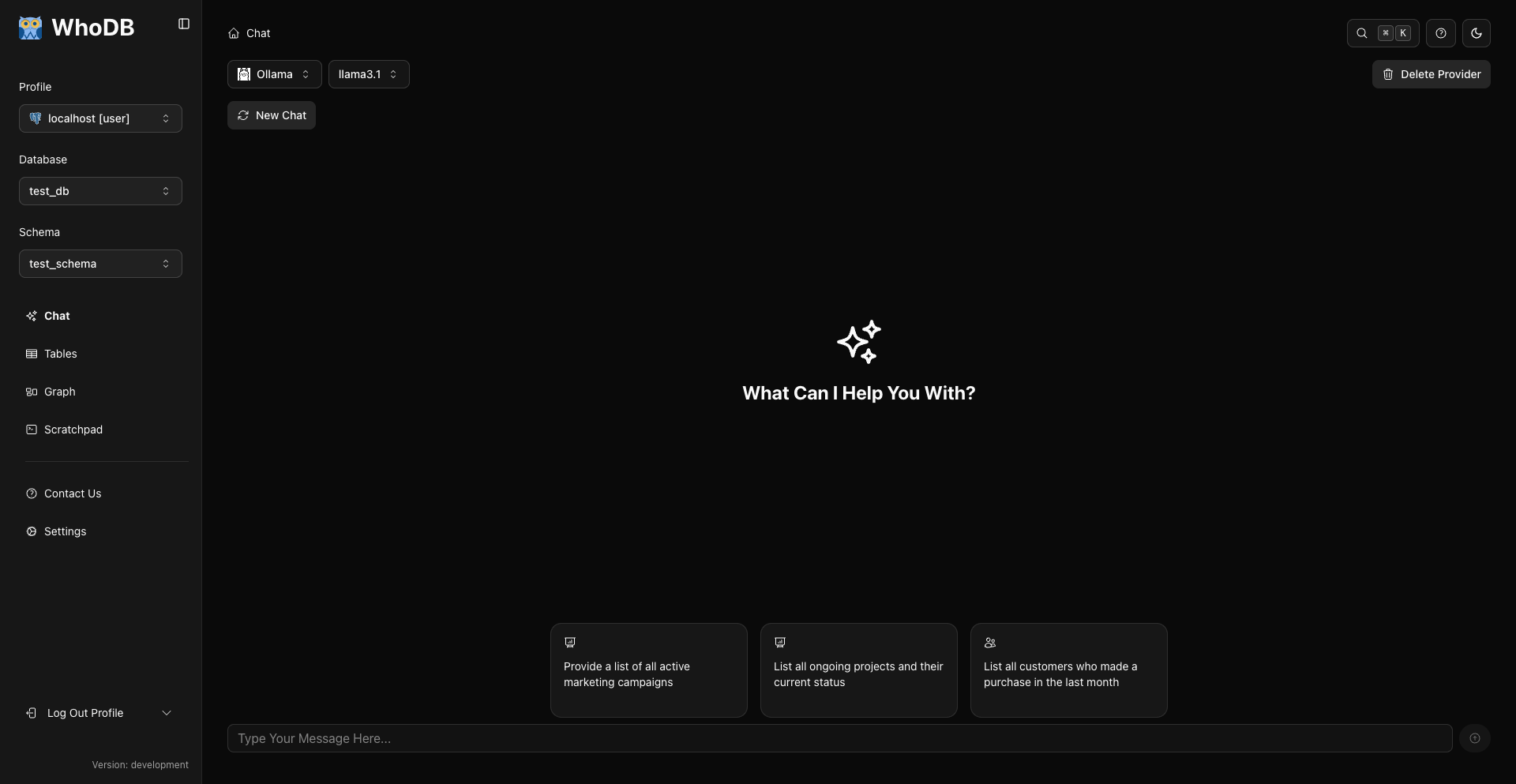
WhoDB's AI Chat Assistant revolutionizes database interaction by letting you use natural language instead of SQL. Ask questions in plain English, and the assistant generates accurate queries, executes them, and presents results in an intuitive format.
Tip
The AI Chat Assistant is like having an expert database administrator and SQL developer available 24/7
What is the AI Chat Assistant?
The AI Chat Assistant bridges the gap between human language and database queries. Instead of remembering SQL syntax, table names, or join conditions, you simply describe what you want to know.
Key Capabilities
Ask questions in plain English and get structured results
The assistant writes optimized SQL based on your database schema
Works with PostgreSQL, MySQL, MongoDB, SQLite, Redis, and more
Choose from OpenAI, Anthropic, Gemini, Ollama, LM Studio, or custom providers
Maintains conversation history for follow-up questions
Requires explicit confirmation for data modifications and schema changes (INSERT, UPDATE, DELETE, CREATE, ALTER, DROP)
How It Works
The AI Chat Assistant follows a simple workflow:
Who Should Use the AI Assistant?
Complete Beginners
Never written SQL before? The AI assistant is perfect for you:
- No SQL knowledge required
- Learn by seeing how questions translate to queries
- Explore databases without fear of making mistakes
- Get immediate results without syntax errors
Data Analysts
Speed up your analysis workflow:
- Generate complex aggregations in seconds
- Explore data relationships naturally
- Create ad-hoc reports without writing SQL
- Focus on insights, not query syntax
Developers
Accelerate development tasks:
- Quickly understand unfamiliar database schemas
- Test queries before implementing in code
- Debug data issues in development and production
- Prototype features without writing boilerplate SQL
Database Administrators
Simplify routine tasks:
- Run diagnostics with natural language commands
- Generate reports for stakeholders
- Validate data integrity
- Perform maintenance queries efficiently
Example Interactions
Simple Data Retrieval
You: "Show me all users"
Assistant: "Here are all the users in the database."
Result: Interactive table with all user records
You: "Find users created in the last week"
Assistant: [Generates and executes appropriate date filter query]
Result: Filtered user list with recent signups
Complex Analysis
You: "Count users by email domain"
Assistant: "Here's the user count by email domain."
Result: Aggregated data showing domain distribution
You: "Show average order value by month for the last year"
Assistant: [Generates query with date grouping and aggregation]
Result: Monthly revenue analysis table
Data Modification
You: "Delete user with id 5"
Assistant: [Generates the DELETE statement and shows an inline confirmation alert in the chat. You can view the SQL behind a toggle, then click Confirm or Cancel.]
You: [Click Confirm]
Result: "Action Executed - DELETE"
The same inline confirmation applies to all data modifications and schema changes (INSERT, UPDATE, DELETE, CREATE, ALTER, DROP).
Supported AI Providers
WhoDB supports multiple AI providers, giving you flexibility based on your needs:
Model lists are fetched live from each provider when you add it, so the available models always reflect your provider's current lineup.
Privacy and Security
Data Privacy Considerations
What's Sent: Your database schema and query text Not Sent: Actual database data or query results Consideration: Review your organization's policies on external AI services
What's Sent: Nothing—all processing is local Privacy: Complete data isolation Consideration: Ideal for sensitive or regulated environments
Warning
For highly sensitive data, use local models (Ollama) or consult your security team before enabling external AI providers
Security Features
- Confirmation Required: All data modifications and schema changes (INSERT, UPDATE, DELETE, CREATE, ALTER, DROP) require explicit confirmation
- Read-Only Mode: Can be configured with read-only database users
- Permission Aware: Respects your database user permissions
Getting Started
Ready to use the AI Chat Assistant? Follow these steps:
AI Assistant Features Overview
Core Features
- Natural Language Understanding: Ask questions conversationally
- Schema Awareness: Knows your tables, columns, and relationships
- SQL Generation: Creates optimized, database-specific queries
- Result Display: Interactive tables with full functionality
- Error Handling: Clear explanations when queries fail
Advanced Features
- Conversation Context: Follow-up questions build on previous queries
- Multi-Turn Dialogues: Complex analysis through iterative refinement
- SQL Code View: Toggle between results and generated SQL
- Scratchpad Integration: Move queries to Scratchpad for refinement
- Query History: Navigate through previous questions with keyboard shortcuts
- Chat Sessions: Keep multiple conversations in a chat history sidebar and switch between them
Data Operations
- SELECT Queries: Retrieve and analyze data
- Aggregations: COUNT, SUM, AVG, MIN, MAX automatically applied
- Filtering: WHERE conditions from natural language
- Sorting: ORDER BY inferred from context
- Joins: Multi-table queries generated correctly
- Data and Schema Modifications: INSERT, UPDATE, DELETE, CREATE, ALTER, and DROP with confirmation
Use Case Examples
Comparison: Traditional SQL vs. AI Assistant
Task | Traditional Approach | With AI Assistant |
|---|---|---|
Find all users | Write SELECT * FROM users | Ask "Show me all users" |
Complex aggregation | Write GROUP BY with multiple joins | Ask "Count orders by product category" |
Filter by date | Remember date syntax for your database | Ask "Show orders from last month" |
Debug query | Read error message, fix syntax | Rephrase question naturally |
Learn schema | Query information_schema tables | Ask "What tables exist?" |
Data modification | Write UPDATE/DELETE carefully | Describe change, confirm when prompted |
The AI assistant eliminates syntax memorization and reduces the time from question to insight.
Limitations
While powerful, the AI assistant has some limitations:
Best Practices
Tip
Start specific, then generalize. Instead of "show me the data," ask "show me all users created this month"
Key practices for effective AI assistant use:
- Be Specific: Clear questions get better results
- Provide Context: Mention table names when ambiguous
- Verify SQL: Review generated queries for important operations
- Use Confirmation: Take advantage of modification confirmations
- Leverage Context: Build on previous questions in conversation
- Move to Scratchpad: Save useful queries for reuse
Next Steps
Check
The AI Chat Assistant makes database interaction accessible to everyone, from complete beginners to experienced professionals
Previous