
Run functions on an edge device
Where: Organization → Edge devices, then the function's Edge device setting. Edge runs work on a registered computer rather than automatically making every function executable on every device.
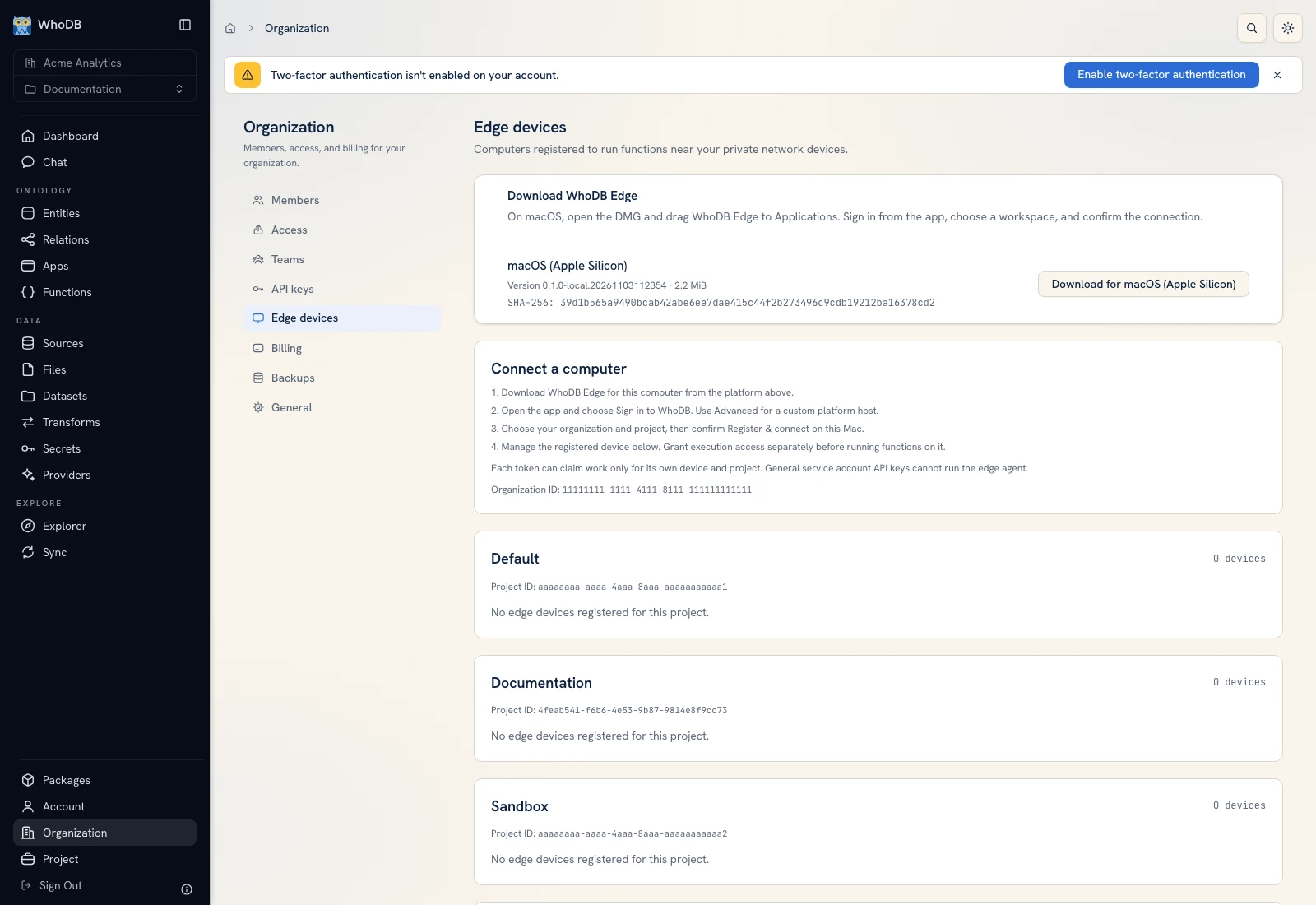 Edge devices provides downloads, registration guidance, device status, and separate execution access.
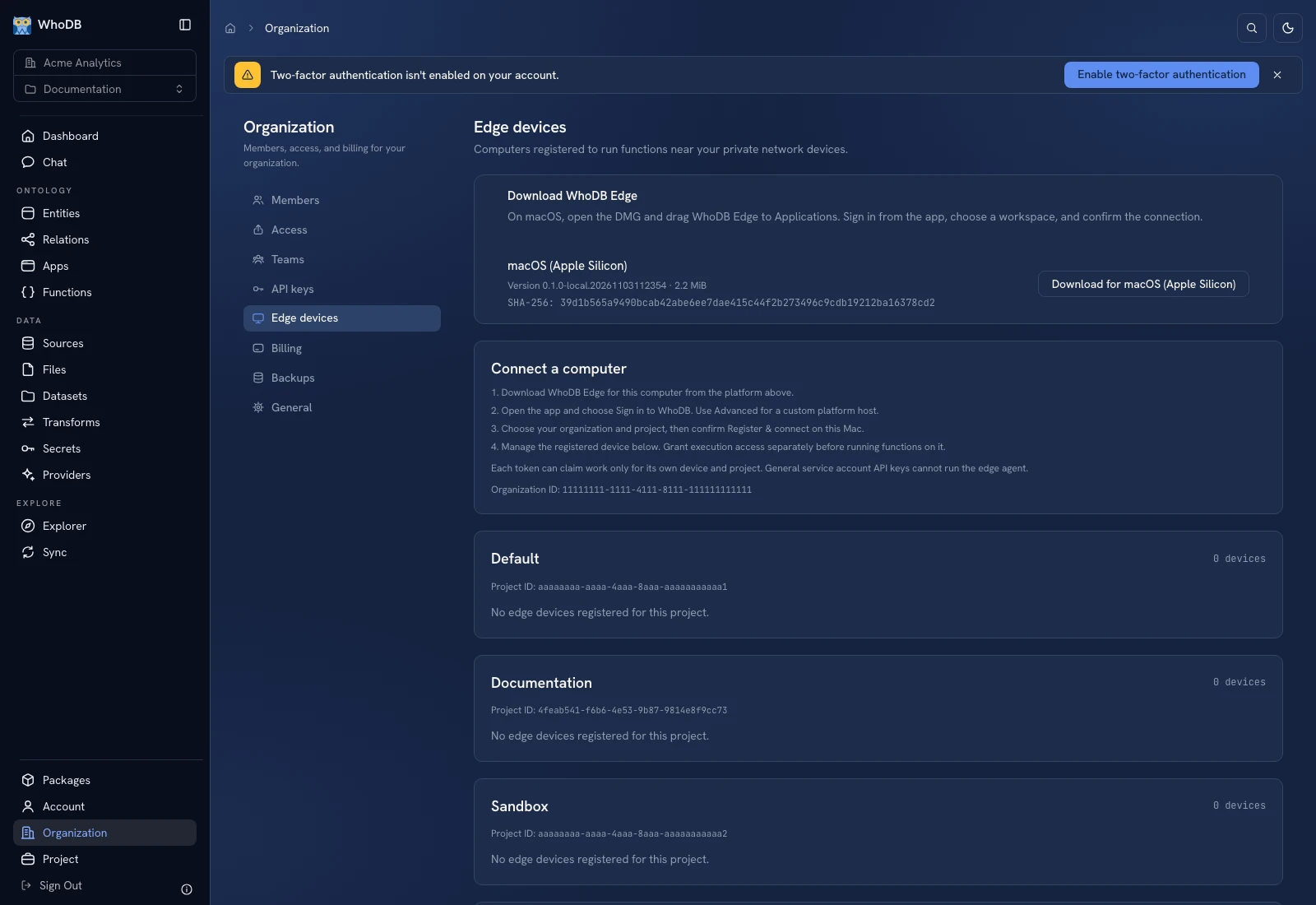 Edge devices provides downloads, registration guidance, device status, and separate execution access.
Connect the computer#
Use the download for the correct OS/architecture when available. On macOS, the screen instructs you to open the DMG and drag WhoDB Edge to Applications. Sign in from the runner, choose the organization/project, and confirm registration/connection on that computer.
Return to Edge devices, select the intended project, and verify the device's name, online state, and last-seen information. An empty download catalog means the installation has not supplied executables; ask its administrator rather than downloading an arbitrary binary with a similar name.
Grant execution access separately#
Registering/managing a device and permission to execute work on it are different. Review Allow my runs or Enable execution for my account and its confirmation. The grant applies to that account and device, and does not grant permission to run arbitrary functions the account could not otherwise execute.
Select the run location#
Open the function's create/edit Configuration. Choose WhoDB platform or a registered device in Edge device. The UI states that edge supports asynchronous Python functions and live Python services. Use the supported language/mode; a synchronous function or on-demand live stream is a different path.
Save and start a controlled run, inspect status/output/logs, and verify which device claimed the work. A saved run location is not proof that the device is currently online.
Manage credentials and availability#
Advanced token replacement/revocation changes the runner's ability to connect and can require pairing again. General service-account keys are not interchangeable with a dedicated edge connection token. Do not include token values in screenshots or logs.
If the saved device is missing/offline, check its registration, project, permissions, and runner connection before starting more work.
Was this page helpful?