
Quarantine catalog records that fail publishing rules
Prepare a publishing-quality gate for required fields, allowed taxonomy codes, positive prices, and unique SKUs. Invalid rows get specific correction reasons rather than disappearing from an import.
Before you begin#
You need a project where you can create transforms and datasets, plus an available Python script runtime. The sample contains only synthetic records. Start with the complete CSV, not a limited preview of a larger business dataset.
Follow Run a use-case recipe for the shared input, destination, and app steps.
Sample input#
Download the CSV, or copy it into Transforms → Library → Seed → Paste CSV.
Csv
sku,title,category_code,price
Q-1,Steel bottle,HOME_DRINKWARE,24.00
Q-2,,APPAREL_TOPS,15.00
Q-3,Canvas tote,MADE_UP_CATEGORY,0.00
Q-1,Steel bottle duplicate,HOME_DRINKWARE,24.00
Q-4,Cotton tee,APPAREL_TOPS,19.00
Build it in WhoDB#
- Create Catalog publishing checks and paste the sample into Seed. The allowed codes match the retail taxonomy guide.
- Add the Python Script and declare all outputs. It validates the proposed category; it does not ask AI to repair missing data.
- Preview every record, then split results with Condition using
publishable = true: the true branch is the accepted set; the other branch is the repair queue. - Write each branch to a separate dataset, such as
catalog_publishableandcatalog_repair. Verify that accepted plus rejected counts equal the input count. - Import only approved, accepted records into the managed Product entity. Keep the repair dataset accessible to catalog editors.
Script and output columns#
In Script → Output columns, add these names exactly, in this order:
Text
sku, title, category_code, price, validation_errors, publishable
Paste this code into Script. Select Python and leave Dependencies empty; it uses the Python standard library.
Python
from collections import Counter
from decimal import Decimal, InvalidOperation

ALLOWED = {"HOME_DRINKWARE", "APPAREL_TOPS", "ACCESSORIES_BAGS"}

def main(input):
    counts = Counter(row["sku"] for row in input)
    output = []
    for row in input:
        reasons = []
        if not row["sku"].strip():
            reasons.append("missing_sku")
        elif counts[row["sku"]] > 1:
            reasons.append("duplicate_sku")
        if not row["title"].strip():
            reasons.append("missing_title")
        if row["category_code"] not in ALLOWED:
            reasons.append("invalid_category")
        try:
            price = Decimal(str(row["price"]))
            if not price.is_finite() or price <= 0:
                reasons.append("invalid_price")
        except InvalidOperation:
            reasons.append("invalid_price")
        output.append(dict(row, validation_errors=", ".join(reasons), publishable=not reasons))
    return output
Download the script · Expected fixture output. The expected output is computed from this CSV and script; it is not a screenshot of a hosted run.
Check the result#
Only Q-4 is publishable. Both Q-1 rows fail the uniqueness rule; Q-2 lacks a title; Q-3 has an invalid category and nonpositive price. The branch counts must be 1 + 4 = 5. No row should be silently fixed or dropped.
Find the controls#
These screenshots show the current pipeline configuration controls used in this recipe. They come from the manual’s synthetic demonstration workspace; they do not show this use case already executed.
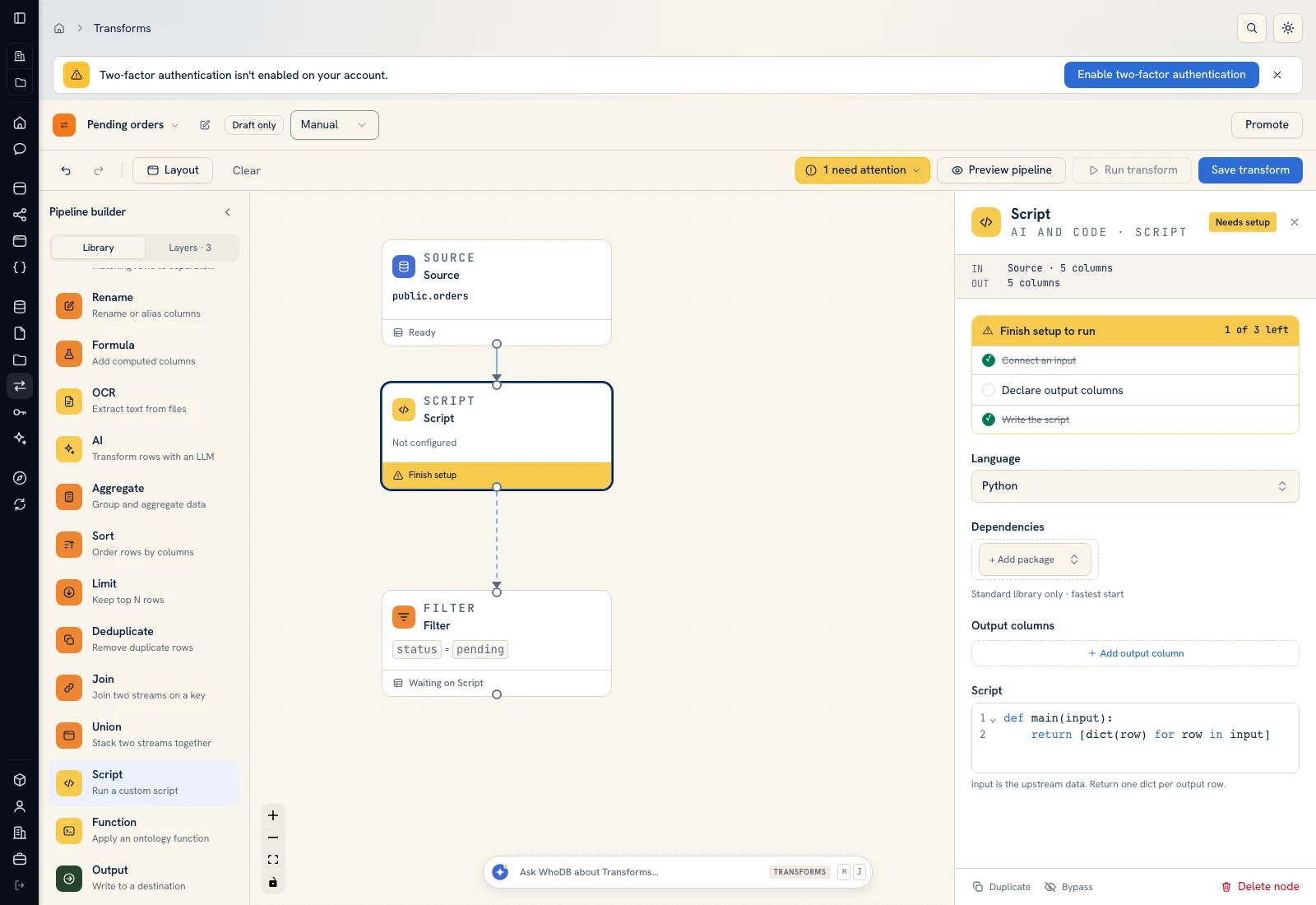 Script: select Python, declare output columns, and paste the calculation.
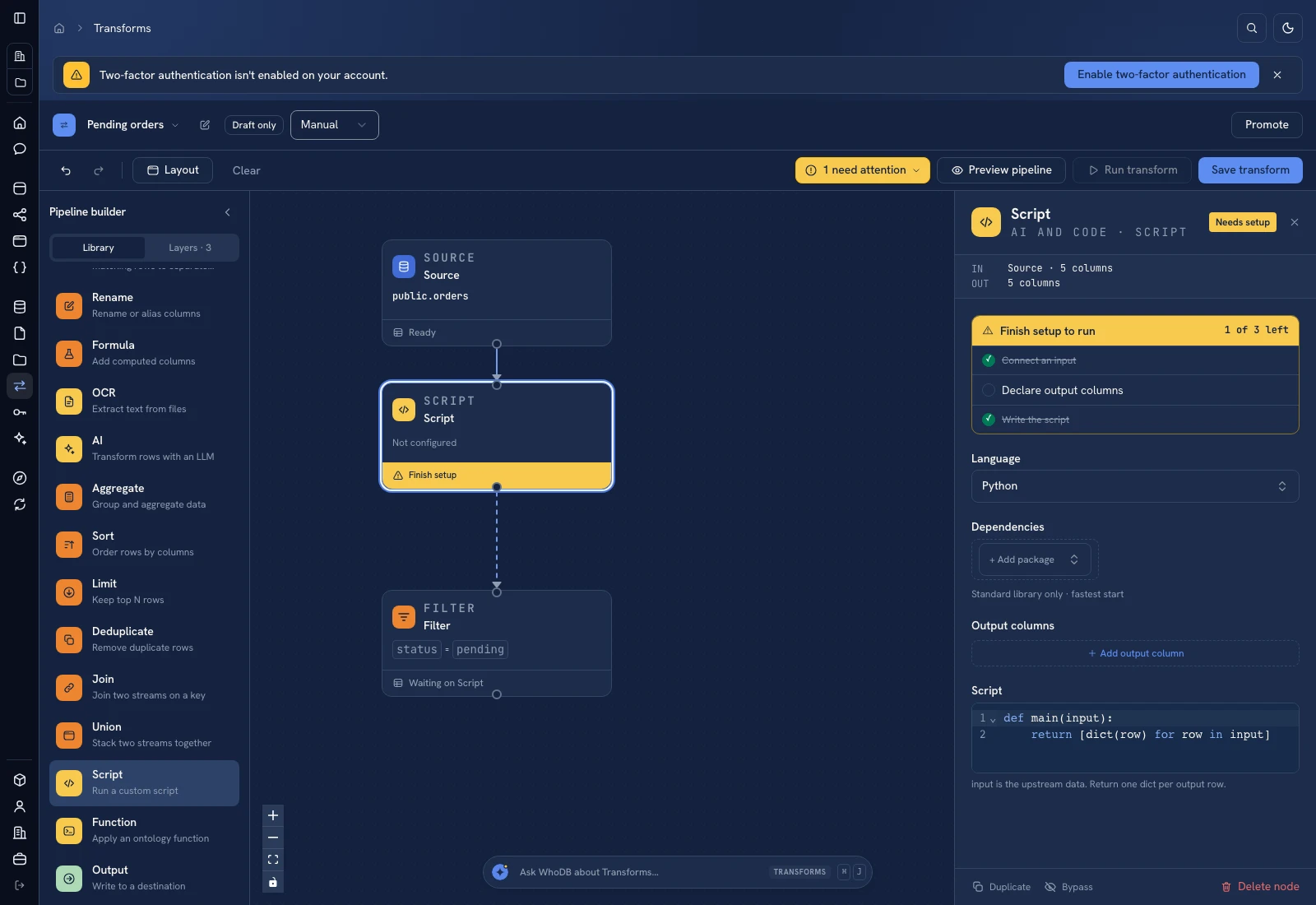 Script: select Python, declare output columns, and paste the calculation.
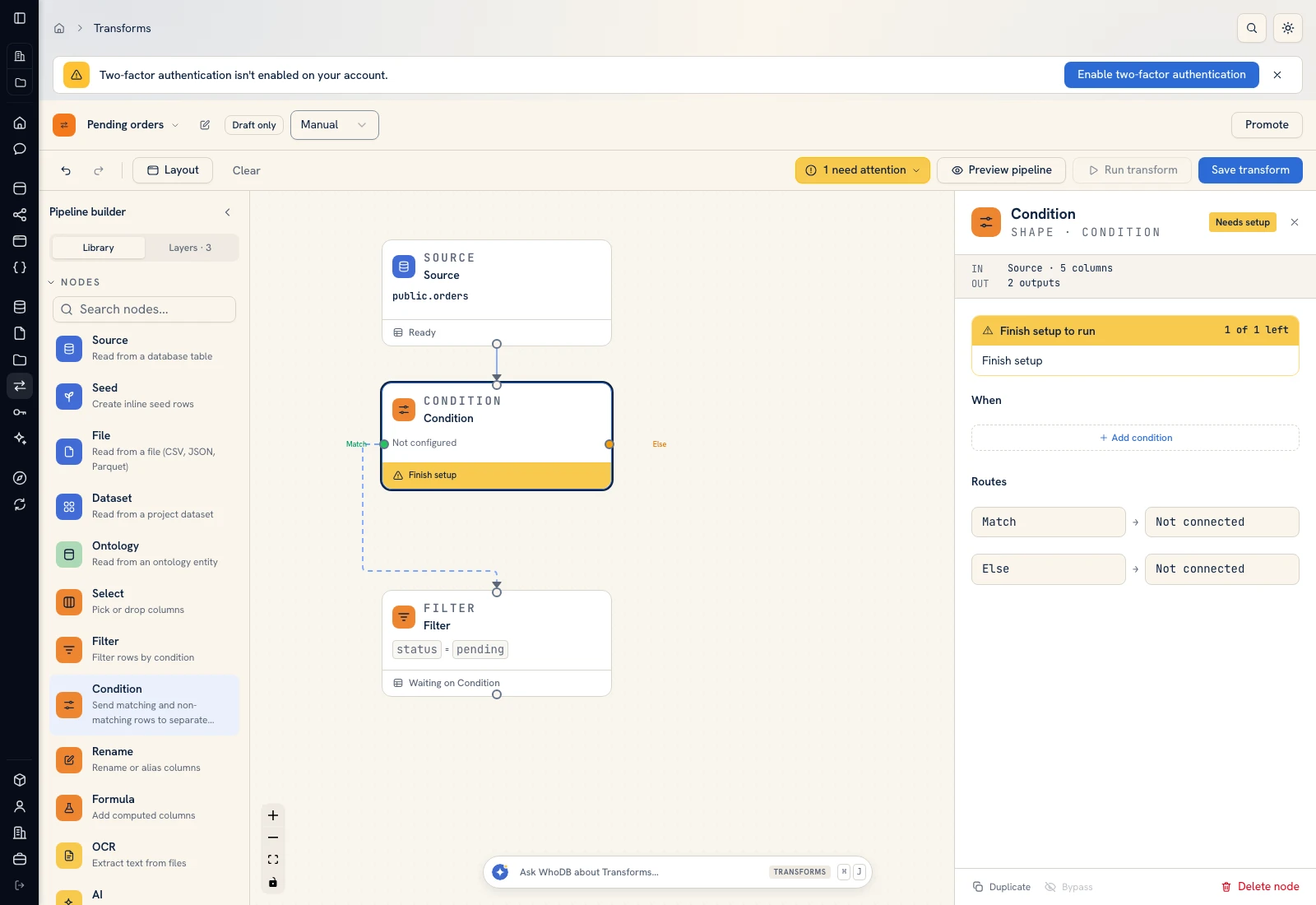 Condition: send accepted and rejected records to separate branches.
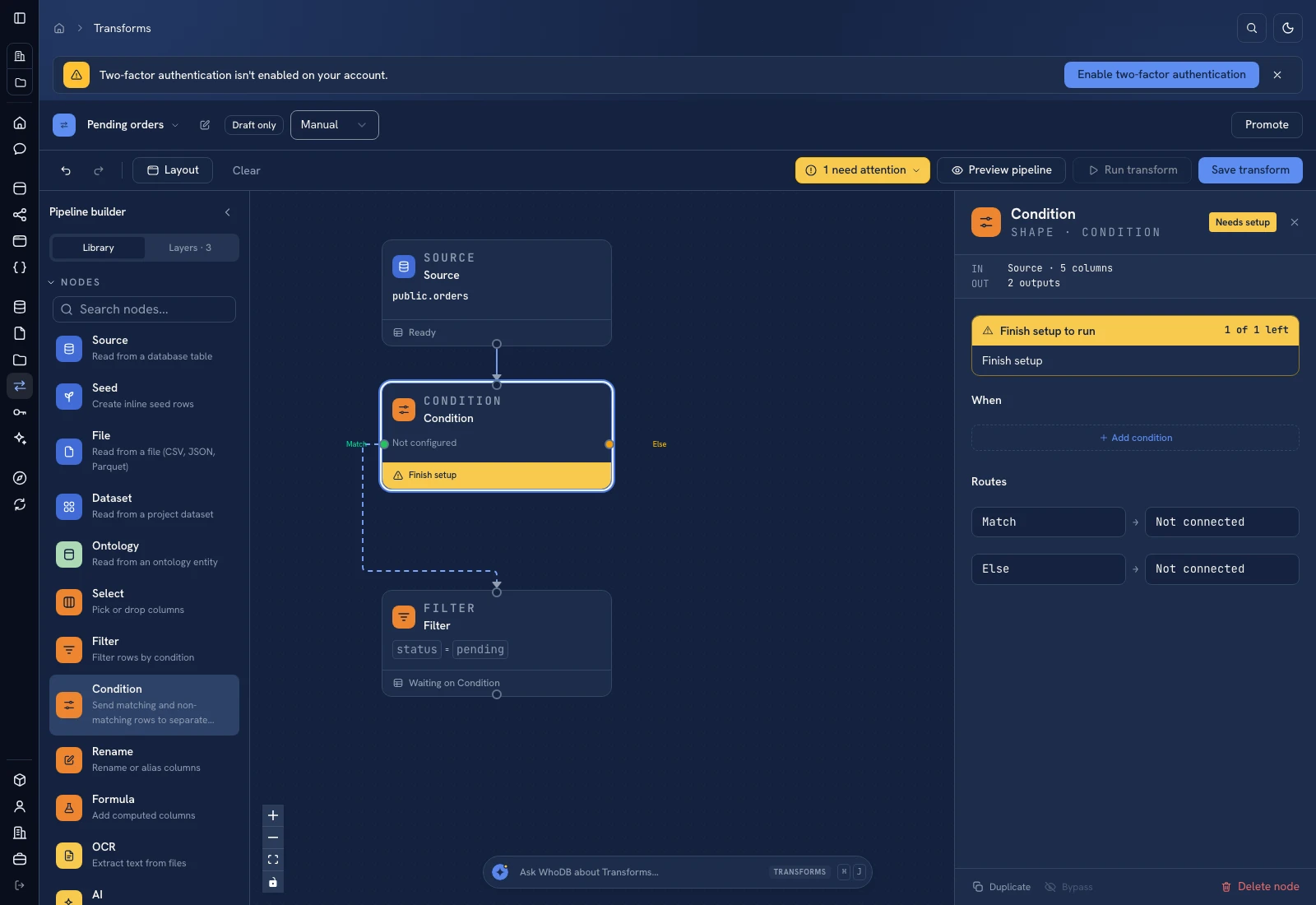 Condition: send accepted and rejected records to separate branches.
Put it to work#
Add image, variant, tax, locale, and channel-specific requirements when they are part of your real publishing contract. Version the rule list alongside the taxonomy. Track defect counts by reason and the age of unresolved repairs, not only the number of accepted products.
For output mapping and rerun behavior, follow Write pipeline outputs. For a team-facing screen, follow Create an app and Connect state and data.
Was this page helpful?