
Entity property reference
Where: Entities → select an entity → Schema, or Edit → Properties. Property editing requires the appropriate role.
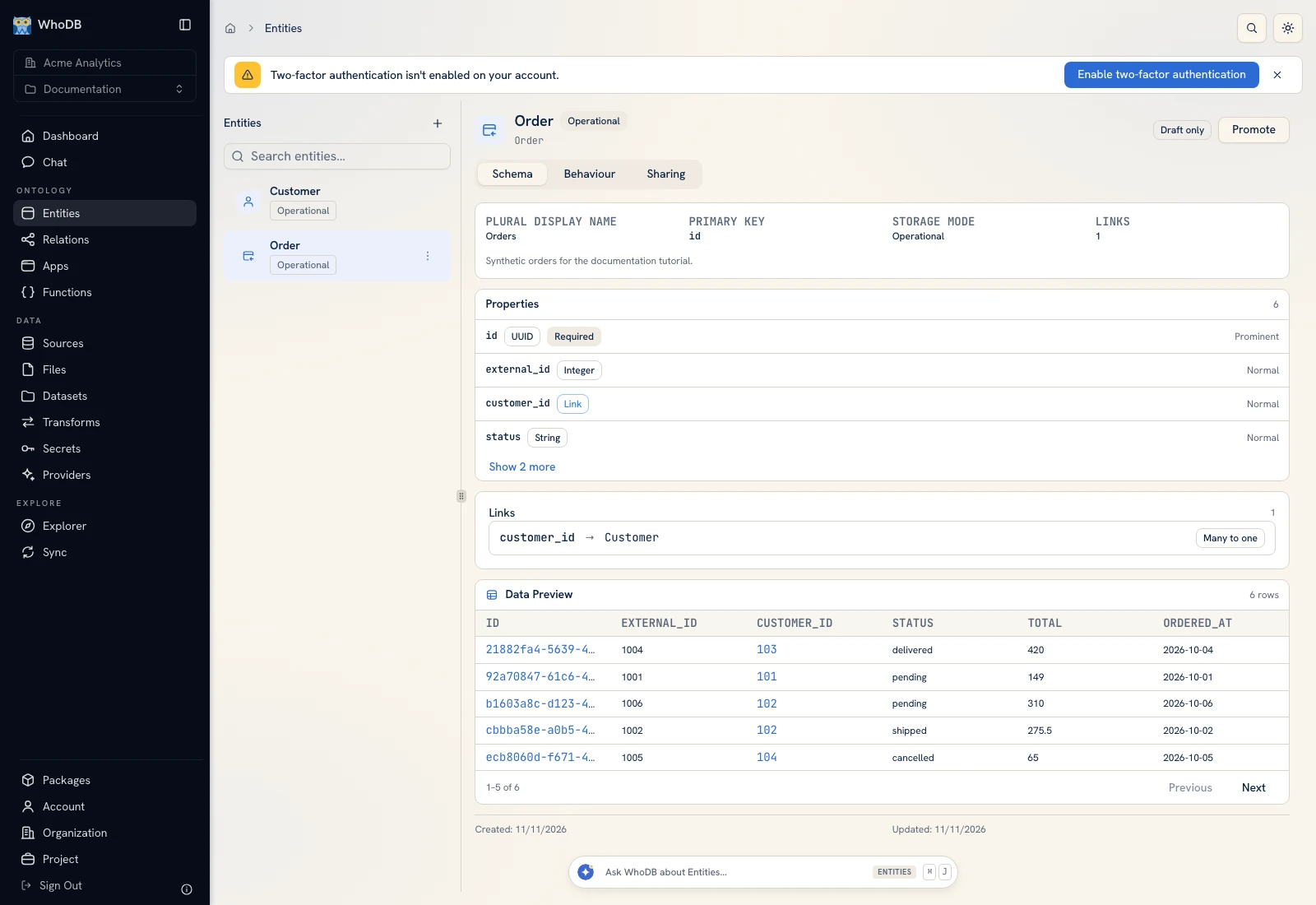 The Schema tab shows the selected entity's identity, properties, and links.
 The Schema tab shows the selected entity's identity, properties, and links.
Configure each property#
| Field or option | Meaning and practical check |
|---|---|
| API Name | Stable identifier used by queries, scripts, mappings, and bindings |
| Display Name | Human-readable label shown to users |
| Column Name | Backing storage column mapped to the property |
| Data Type | Value type; match the actual values entering the entity |
| Required | Record creation must supply a value where required by the model |
| Visibility | Prominent, normal, or hidden presentation role |
| Searchable | Include the field in supported searches |
| Sortable | Allow supported sorting on the field |
| Edit only | Control whether the property is intended for editing rather than ordinary display |
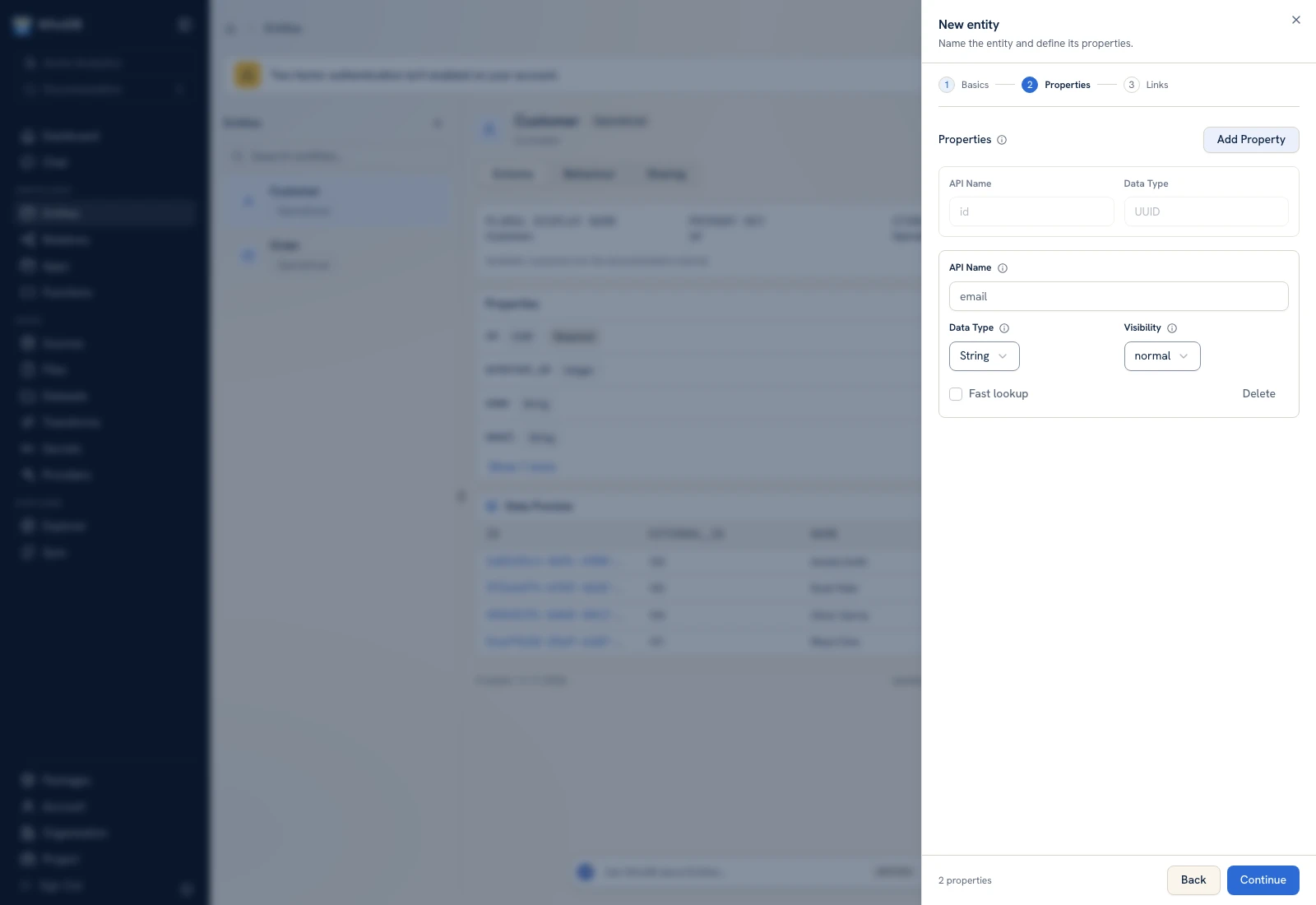 Property editing exposes the field identity and type alongside presentation and query options.
 Property editing exposes the field identity and type alongside presentation and query options.
Choose types from the values#
The model includes String, Integer, Long, Double, Float, Boolean, Date, Timestamp, Array, Struct, and UUID types. Choose String for identifiers whose exact textual form matters. Use Date for a calendar date and Timestamp when the time is meaningful. For arrays, review the element type when the editor exposes it.
Changing the displayed label is different from changing an identifier or storage field used by code. Inspect consumers before altering a property that a transform, app, or function already references.
Example Order properties#
A beginner model can retain its generated UUID id and add external_id as Integer, customer_id as Integer, status as String, total as Double, and ordered_at as Date. Import mapping sends source id to destination external_id, keeping external identity separate from managed identity.
Search and embeddings are different#
Searchable properties participate in supported field searches. Semantic similarity uses embedding configuration, selected property content, and an embedding job. Marking a field searchable does not itself create embeddings. Follow Semantic search before enabling that workflow.
Verify a change#
Save the model, reopen Schema, and inspect the property list. Read a known record and test the relevant search or sort action. If an app already consumes this entity, preview its fields after the change. Check Versions before activating schema changes for a deployed workflow.
Was this page helpful?