
Extract product attributes for catalog enrichment
Give catalog editors a consistent set of material, color, and capacity proposals without overwriting the supplier description. Missing attributes remain visible instead of being guessed.
Before you begin#
You need a project where you can create transforms and datasets, plus a configured AI provider and a chat model you can use. These are implementation recipes: no live model result or quality level is claimed. The sample contains only synthetic records.
Follow Run a use-case recipe for the shared input, destination, and app steps.
Sample input#
Download the CSV, or copy it into Transforms → Library → Seed → Paste CSV.
Csv
sku,description
ATTR-1,Blue stainless steel insulated bottle 750 ml
ATTR-2,Red cotton T-shirt size M
ATTR-3,Classic everyday bag
Build it in WhoDB#
- Name the transform Catalog attribute proposals and paste the CSV into a Seed node.
- Connect AI, select a chat provider/model, choose Each row, keep input columns, and send only
description. - Add the output fields below. Use Text for capacity so a missing value can be an empty string; do not turn missing capacity into zero.
- Paste the extraction instructions, test all three rows, and inspect each extracted value next to its source description.
- Write to
catalog_attribute_review. In a review app, displaysku,description, the three proposed attributes, andmissing_fields. - When editors approve a value, write it to a separate Product property. Retain the raw capacity text until your catalog's unit-conversion rules have been applied.
AI output schema#
| Field | Type | Description to enter |
|---|---|---|
material | Text | Material explicitly stated, or empty string |
color | Text | Explicit color, or empty string |
capacity_text | Text | Capacity including unit, or empty string |
missing_fields | Text | Comma-separated missing attribute names |
Instructions to paste#
Text
Extract material, color, and capacity_text from the description.
Use only explicit evidence. Preserve the capacity unit as written.
Return an empty string for an unstated attribute; never infer from the SKU.
missing_fields lists every empty attribute by its exact output field name.
Normalize explicit colors to lowercase. Do not guess material from a product name.
Check the result#
ATTR-1 should propose stainless steel, blue, and 750 ml. ATTR-2 should propose cotton and red, with empty capacity. ATTR-3 should leave all three attributes empty and name them in missing_fields.
Add a test description containing two colors or a multipack before extending the schema. Decide whether those attributes are scalar values or multiple values; a single text field does not establish a complete variant model.
Find the controls#
These screenshots show the current AI configuration controls used in this recipe. They come from the manual’s synthetic demonstration workspace; they do not show this use case already executed.
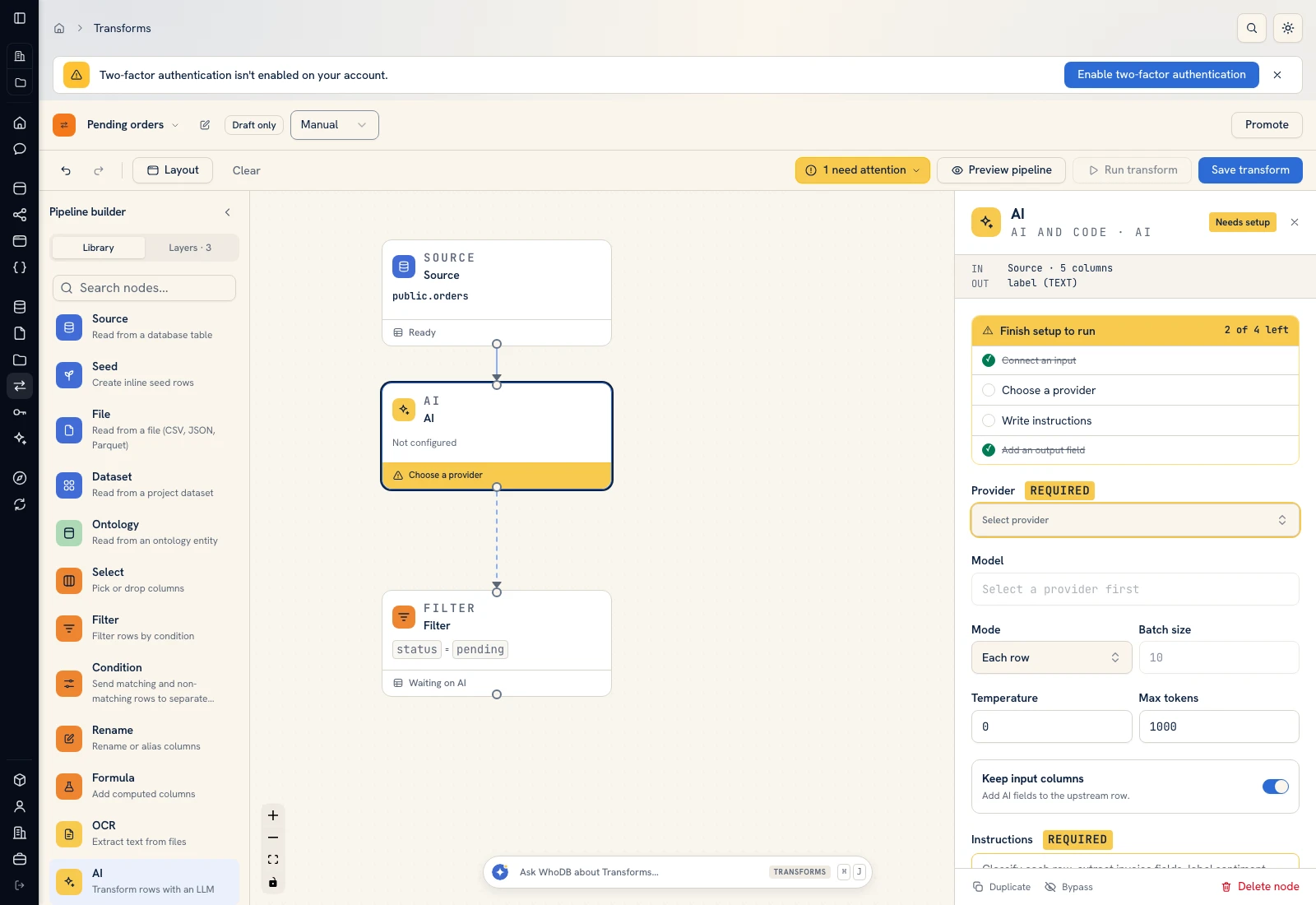 AI: choose a provider/model, supply instructions, and define output fields.
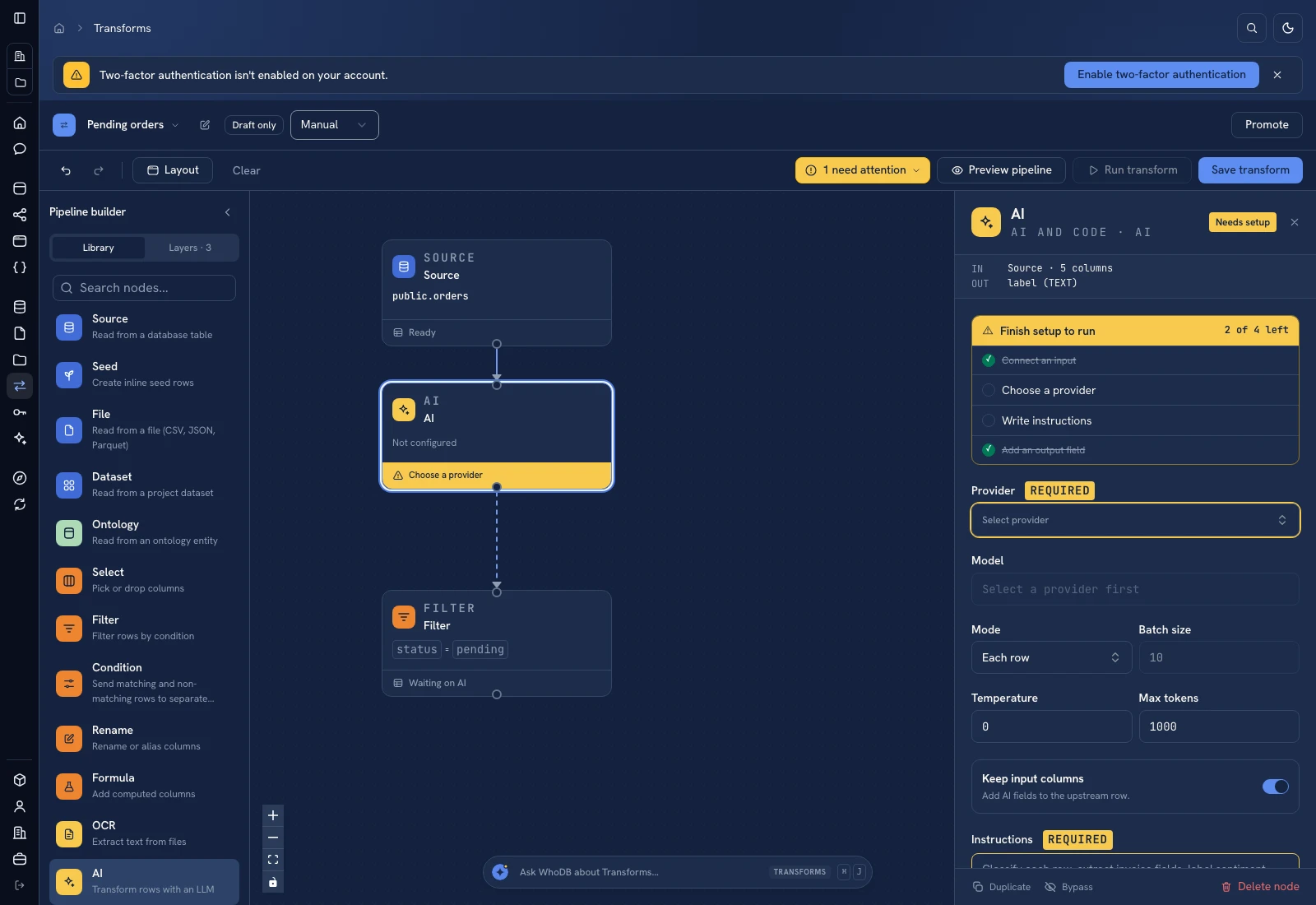 AI: choose a provider/model, supply instructions, and define output fields.
Put it to work#
Track completeness before and after approved enrichment, plus how often reviewers correct proposed values. Keep source updates and human edits distinguishable so a supplier refresh does not erase an approved attribute. If you add numeric capacity later, parse the number and unit separately and reject unsupported units.
Use Retail taxonomy first when attribute rules differ by category.
For output mapping and rerun behavior, follow Write pipeline outputs. For a team-facing screen, follow Create an app and Connect state and data.
Was this page helpful?