
Catch paid orders that have not been fulfilled
Find orders that are paid but still unshipped after an agreed elapsed-time threshold. The queue separates operational exceptions from unpaid, cancelled, and already fulfilled orders.
Before you begin#
You need a project where you can create transforms and datasets, plus an available Python script runtime. The sample contains only synthetic records. Start with the complete CSV, not a limited preview of a larger business dataset.
Follow Run a use-case recipe for the shared input, destination, and app steps.
Sample input#
Download the CSV, or copy it into Transforms → Library → Seed → Paste CSV.
Csv
order_id,payment_status,fulfillment_status,paid_at,owner
O-1,paid,unfulfilled,2026-11-08T08:00:00Z,Fulfillment
O-2,paid,shipped,2026-11-07T08:00:00Z,Fulfillment
O-3,pending,unfulfilled,2026-11-08T08:00:00Z,Billing
O-4,paid,unfulfilled,2026-11-10T09:00:00Z,Fulfillment
Build it in WhoDB#
- Create Paid order exceptions, using one row per order from a source or the sample Seed.
- Add Script → Python and declare the full output schema. The fixture uses a fixed UTC reference time and a
24elapsed-hour threshold. - Preview and confirm the timestamps are parsed with their timezones. Filter on
fulfillment_exception = true. - Sort by
hours_since_paiddescending and write topaid_order_exceptions. - Use the queue to investigate stock, fraud holds, and warehouse handoffs. Do not change fulfillment state solely because an order appears here.
Script and output columns#
In Script → Output columns, add these names exactly, in this order:
Text
order_id, payment_status, fulfillment_status, paid_at, owner, hours_since_paid, fulfillment_exception
Paste this code into Script. Select Python and leave Dependencies empty; it uses the Python standard library.
Python
from datetime import datetime

AS_OF = datetime.fromisoformat("2026-11-10T12:00:00+00:00")

def main(input):
    output = []
    for row in input:
        paid_at = datetime.fromisoformat(row["paid_at"].replace("Z", "+00:00"))
        hours = round((AS_OF - paid_at).total_seconds() / 3600, 2)
        exception = (row["payment_status"] == "paid"
            and row["fulfillment_status"] == "unfulfilled" and hours >= 24)
        output.append(dict(row, hours_since_paid=hours, fulfillment_exception=exception))
    return output
Download the script · Expected fixture output. The expected output is computed from this CSV and script; it is not a screenshot of a hosted run.
Check the result#
At 2026-11-10T12:00:00Z, O-1 has waited 52.0 hours and is the only exception. O-2 is shipped, O-3 is unpaid, and O-4 has waited only three hours.
Find the controls#
These screenshots show the current pipeline configuration controls used in this recipe. They come from the manual’s synthetic demonstration workspace; they do not show this use case already executed.
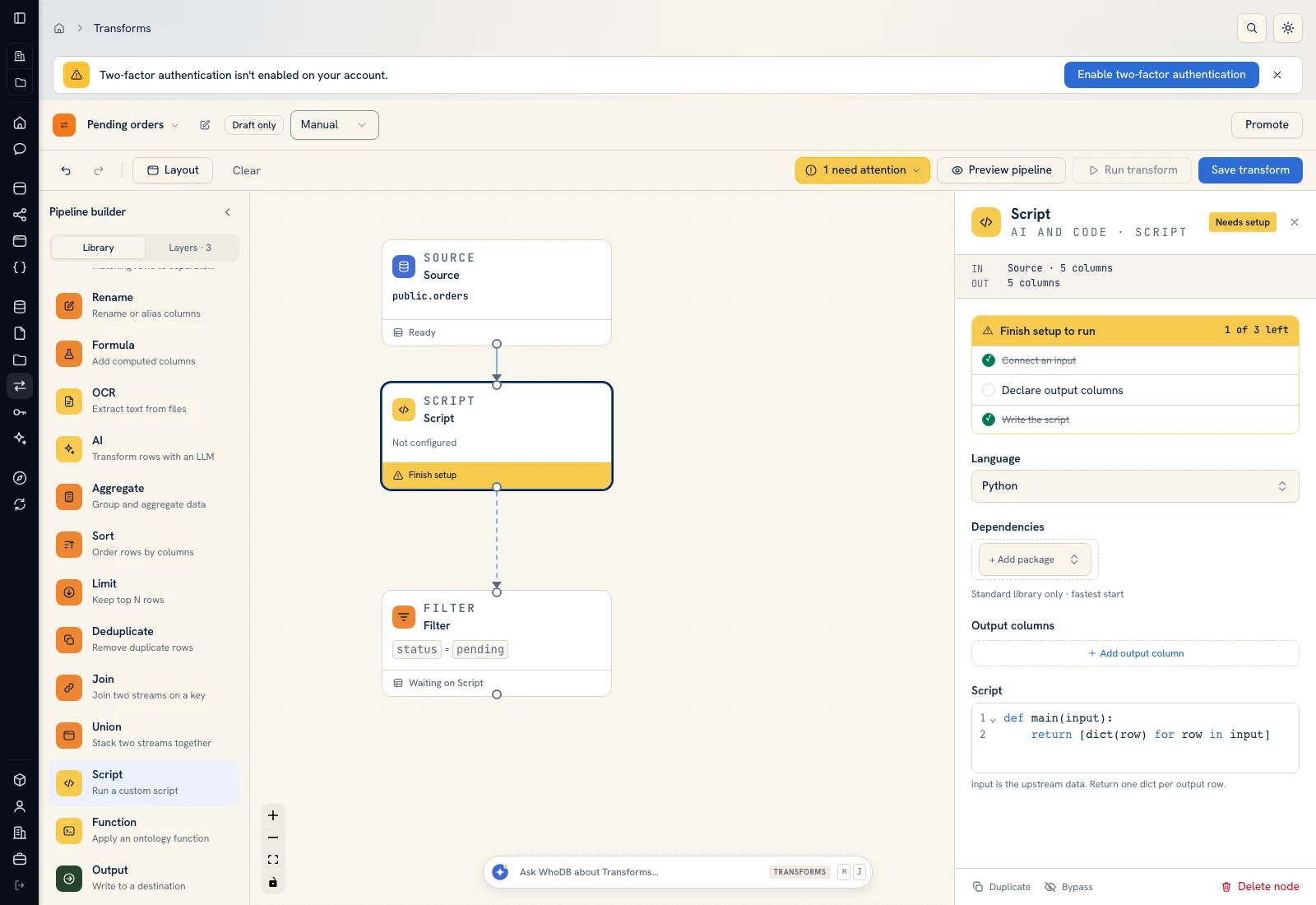 Script: select Python, declare output columns, and paste the calculation.
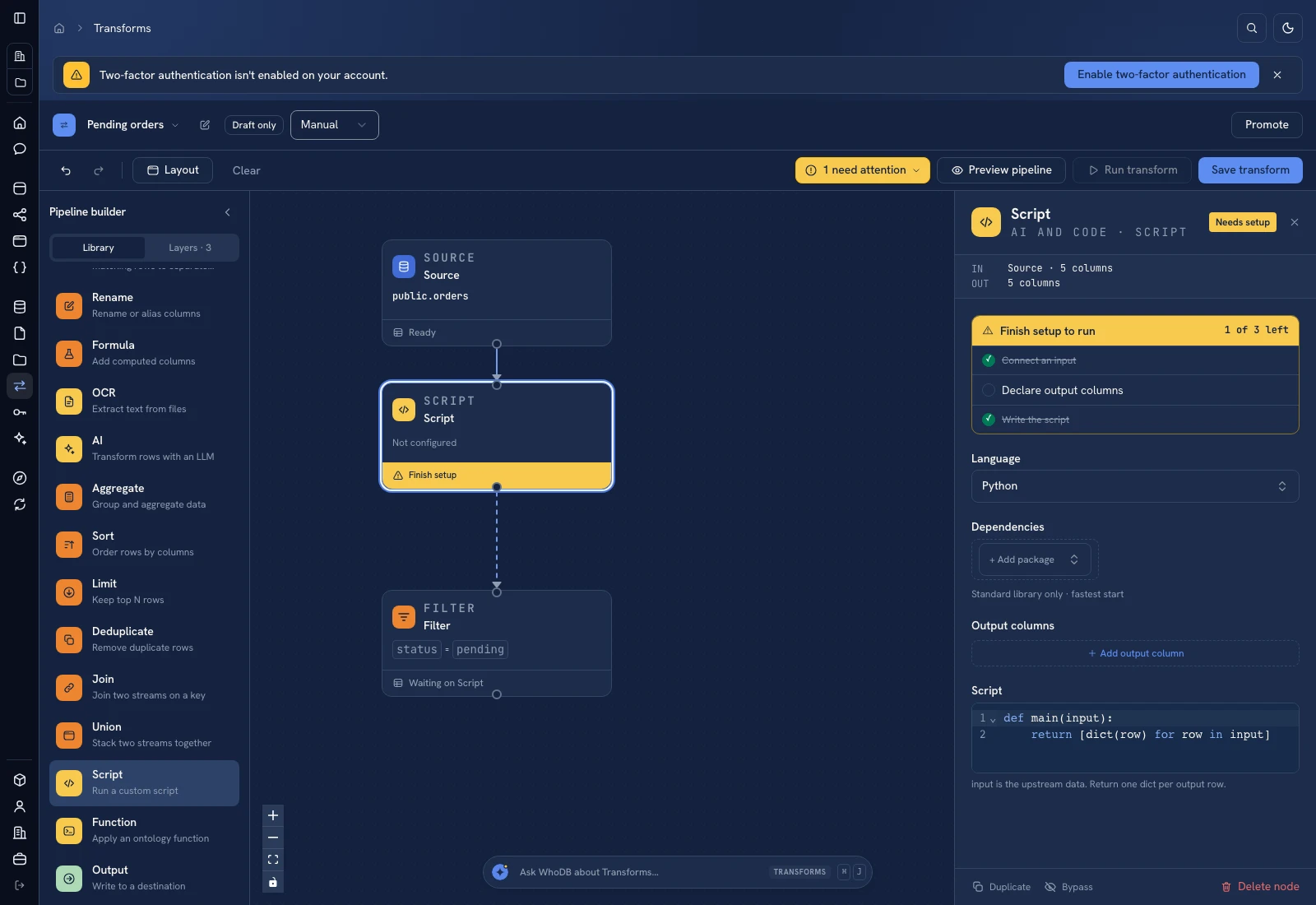 Script: select Python, declare output columns, and paste the calculation.
Put it to work#
A legitimate hold should be modeled explicitly so it can be assigned and reviewed. Agree whether the SLA excludes weekends or starts after a release check; the example measures elapsed hours. Track unresolved queue age rather than treating a successful transform run as a resolved order.
For output mapping and rerun behavior, follow Write pipeline outputs. For a team-facing screen, follow Create an app and Connect state and data.
Was this page helpful?