
Audit campaign attribution before reporting conversions
Find missing campaign identifiers and repeated event IDs before a marketing report counts conversions. Keep suspect rows available for inspection instead of silently dropping them.
Before you begin#
You need a project where you can create transforms and datasets, plus an available Python script runtime. The sample contains only synthetic records. Start with the complete CSV, not a limited preview of a larger business dataset.
Follow Run a use-case recipe for the shared input, destination, and app steps.
Sample input#
Download the CSV, or copy it into Transforms → Library → Seed → Paste CSV.
Csv
event_id,campaign_id,event_type,revenue
EV-1,SPRING-26,purchase,40.00
EV-2,,purchase,60.00
EV-1,SPRING-26,purchase,40.00
EV-3,SPRING-26,view,0.00
Build it in WhoDB#
- Create Campaign data quality and paste the event sample into Seed. Preserve the original event ID; row position is not an event identifier.
- Add Script → Python. Declare the output columns and preview the validation reasons.
- Save the full result to
campaign_event_quality. Filterreportable = truein a separate report transform so reviewers can still inspect excluded events. - For the conversion report, filter
event_type = purchase, then Aggregate by campaign with count and revenue sum. For this fixture the valid purchase count is zero; do not force a nonempty report. - Resolve repeated IDs using the source event's authoritative timestamp/version, then rerun. This example quarantines every repeated ID rather than choosing an arbitrary winner.
Script and output columns#
In Script → Output columns, add these names exactly, in this order:
Text
event_id, campaign_id, event_type, revenue, quality_reasons, reportable
Paste this code into Script. Select Python and leave Dependencies empty; it uses the Python standard library.
Python
from collections import Counter

def main(input):
    counts = Counter(row["event_id"] for row in input)
    output = []
    for row in input:
        reasons = []
        if not row["event_id"].strip():
            reasons.append("missing_event_id")
        elif counts[row["event_id"]] > 1:
            reasons.append("duplicate_event_id")
        if not row["campaign_id"].strip():
            reasons.append("missing_campaign")
        output.append(dict(row, quality_reasons=", ".join(reasons), reportable=not reasons))
    return output
Download the script · Expected fixture output. The expected output is computed from this CSV and script; it is not a screenshot of a hosted run.
Check the result#
Both EV-1 records must be marked duplicate_event_id. EV-2 is missing_campaign. Only EV-3 is reportable, and it is a view rather than a purchase. A naive report would overstate known-campaign revenue by counting both copies of EV-1.
Find the controls#
These screenshots show the current pipeline configuration controls used in this recipe. They come from the manual’s synthetic demonstration workspace; they do not show this use case already executed.
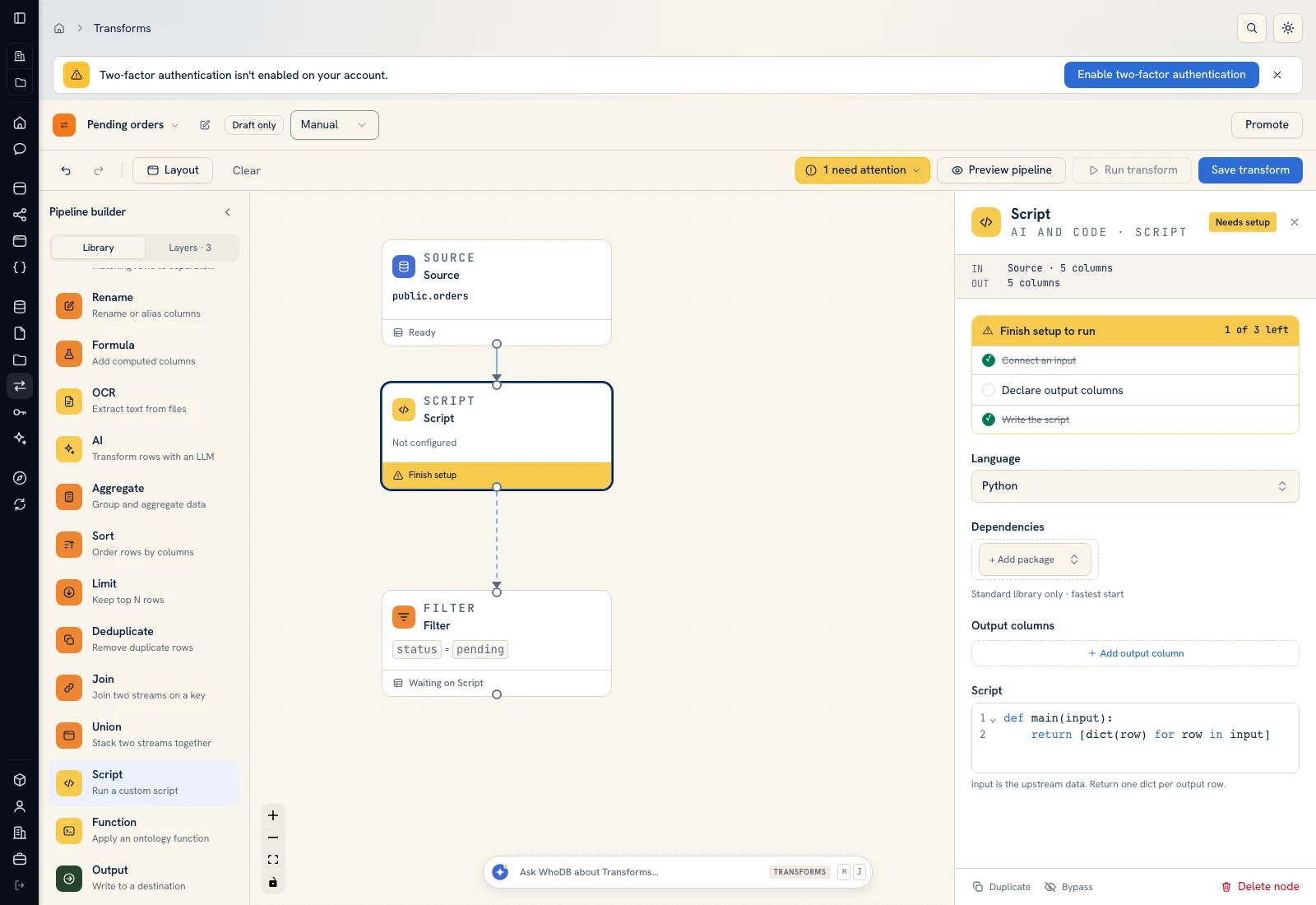 Script: select Python, declare output columns, and paste the calculation.
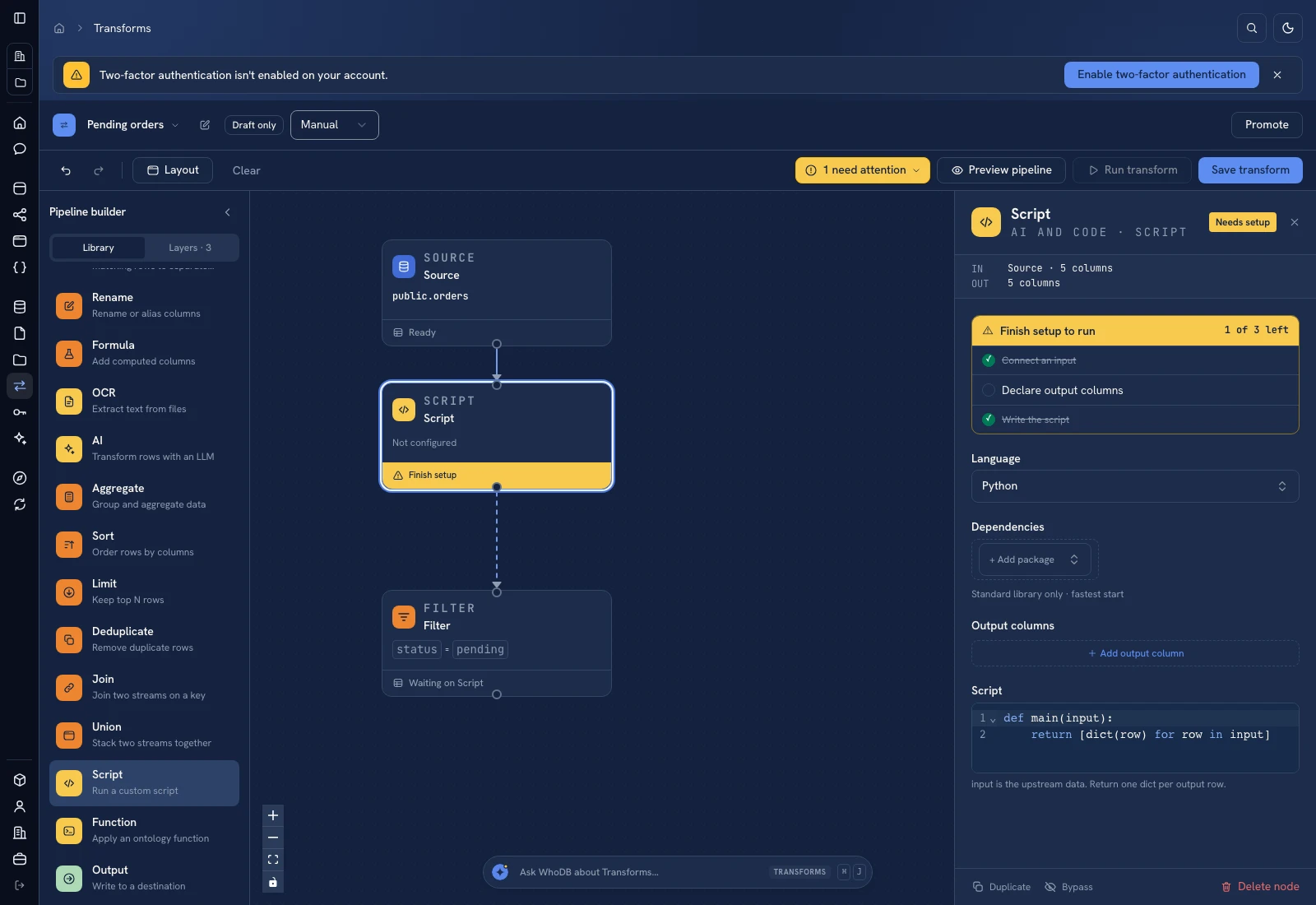 Script: select Python, declare output columns, and paste the calculation.
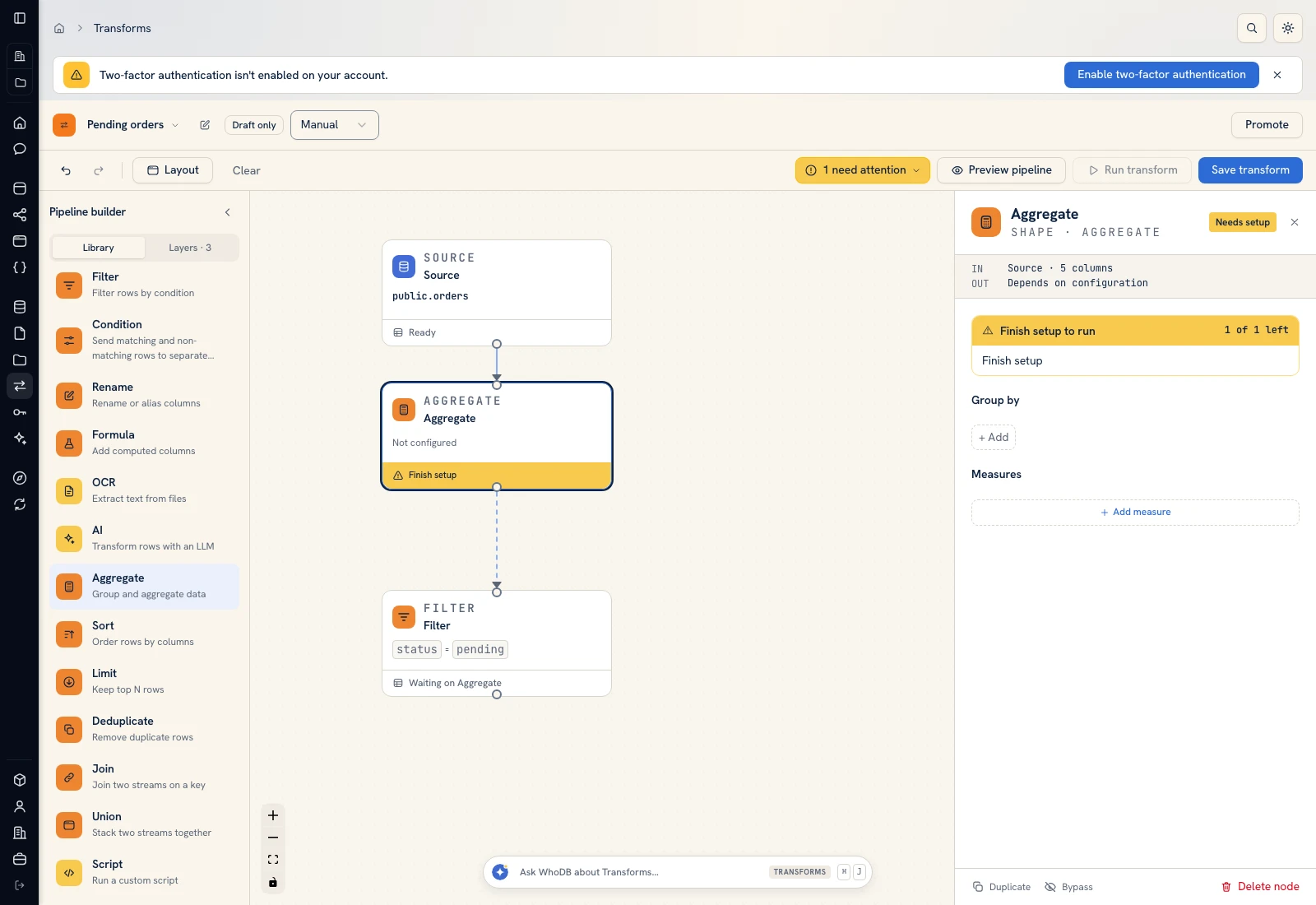 Aggregate: choose grouping columns and named measures.
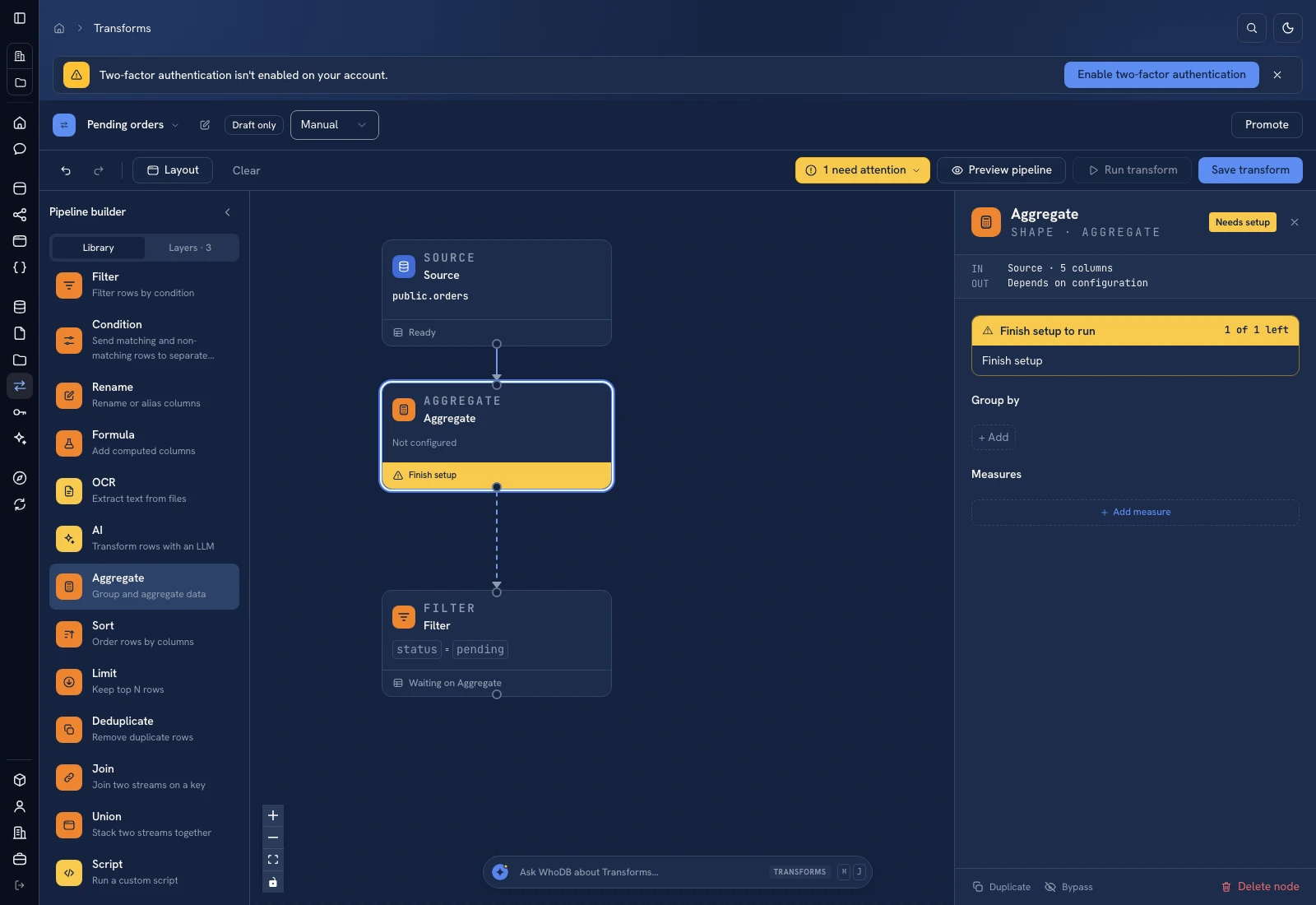 Aggregate: choose grouping columns and named measures.
Put it to work#
Define how organic traffic and intentionally unattributed events appear in your reporting taxonomy. Do not call every blank campaign an acquisition failure. Check currency and event-time windows before summing revenue, and track quarantined revenue separately from valid revenue.
For output mapping and rerun behavior, follow Write pipeline outputs. For a team-facing screen, follow Create an app and Connect state and data.
Was this page helpful?