
Reconcile invoices against allocated receipts
Find unpaid balances, overpayments, and receipts that reference no invoice. The input assumes receipts already carry an exact invoice reference; fuzzy bank-description matching is a separate review task.
Before you begin#
You need a project where you can create transforms and datasets, plus an available Python script runtime. The sample contains only synthetic records. Start with the complete CSV, not a limited preview of a larger business dataset.
Follow Run a use-case recipe for the shared input, destination, and app steps.
Sample input#
Download the CSV, or copy it into Transforms → Library → Seed → Paste CSV.
Csv
record_id,kind,invoice_id,currency,amount
BILL-1,invoice,INV-1,USD,100.00
PAY-1,payment,INV-1,USD,60.00
PAY-2,payment,INV-1,USD,40.00
BILL-2,invoice,INV-2,USD,200.00
PAY-3,payment,INV-2,USD,50.00
PAY-4,payment,INV-9,USD,25.00
BILL-3,invoice,INV-3,USD,50.00
PAY-5,payment,INV-3,USD,60.00
Build it in WhoDB#
- Create Invoice receipt reconciliation and paste the combined fixture into Seed. Invoice and payment amounts are positive; currency codes are explicit.
- For live data, use invoice and allocated-receipt inputs, rename their fields to this common schema, add the
kindvalue, and combine them with Union → By name. - Connect Script → Python. Declare the output fields listed below; this script emits one row per invoice/currency pair rather than preserving every input row.
- Preview the whole input. Filter
reconciliation_status != matchedfor the action queue; retain the full result for control totals. - Write to
invoice_reconciliation_review. Investigate unmatched receipts and balances before changing an invoice's paid status.
Script and output columns#
In Script → Output columns, add these names exactly, in this order:
Text
invoice_id, currency, invoice_amount, received_amount, balance, reconciliation_status
Paste this code into Script. Select Python and leave Dependencies empty; it uses the Python standard library.
Python
from decimal import Decimal

def main(input):
    groups = {}
    for row in input:
        key = (row["invoice_id"], row["currency"])
        group = groups.setdefault(key, {"invoice": None, "paid": Decimal("0")})
        amount = Decimal(str(row["amount"]))
        if row["kind"] == "invoice":
            if group["invoice"] is not None:
                raise ValueError("Duplicate invoice key: " + str(key))
            group["invoice"] = amount
        elif row["kind"] == "payment":
            group["paid"] += amount
        else:
            raise ValueError("Unknown record kind: " + row["kind"])
    output = []
    for (invoice_id, currency), group in sorted(groups.items()):
        invoice, paid = group["invoice"], group["paid"]
        balance = invoice - paid if invoice is not None else None
        status = ("orphan_payment" if invoice is None else "matched" if balance == 0
            else "outstanding" if balance > 0 else "overpaid")
        output.append({"invoice_id": invoice_id, "currency": currency,
            "invoice_amount": float(invoice) if invoice is not None else "",
            "received_amount": float(paid), "balance": float(balance) if balance is not None else "",
            "reconciliation_status": status})
    return output
Download the script · Expected fixture output. The expected output is computed from this CSV and script; it is not a screenshot of a hosted run.
Check the result#
INV-1 is matched at 100.00 received. INV-2 has 150.00 outstanding. INV-3 is overpaid by 10.00 with balance -10.00. INV-9 is an orphan payment of 25.00.
Total allocated payments must remain 235.00, including the orphan. The code rejects duplicate invoice records and unknown kinds instead of silently combining them. Different currencies never offset each other.
Find the controls#
These screenshots show the current pipeline configuration controls used in this recipe. They come from the manual’s synthetic demonstration workspace; they do not show this use case already executed.
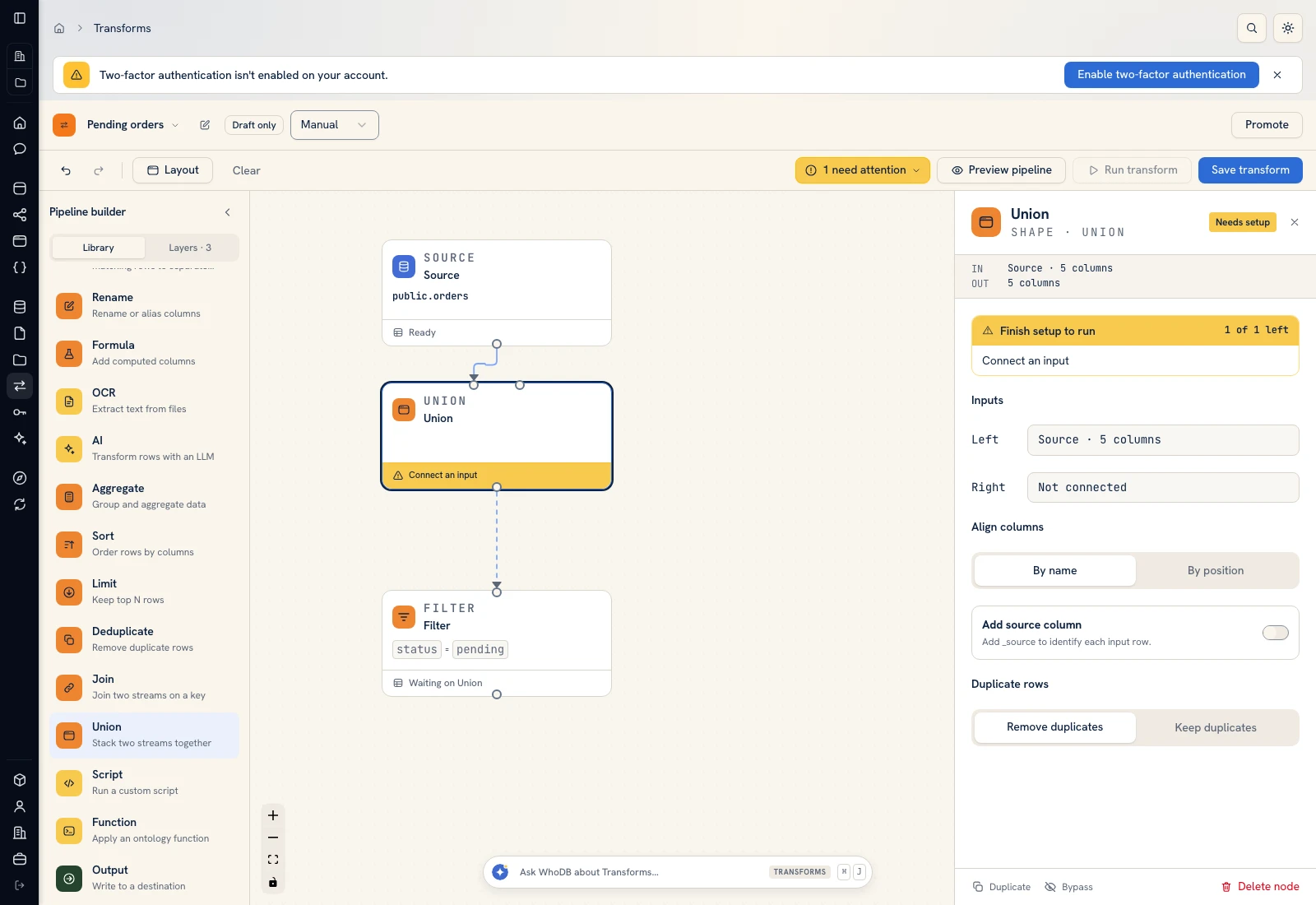 Union: align normalized input streams by column name.
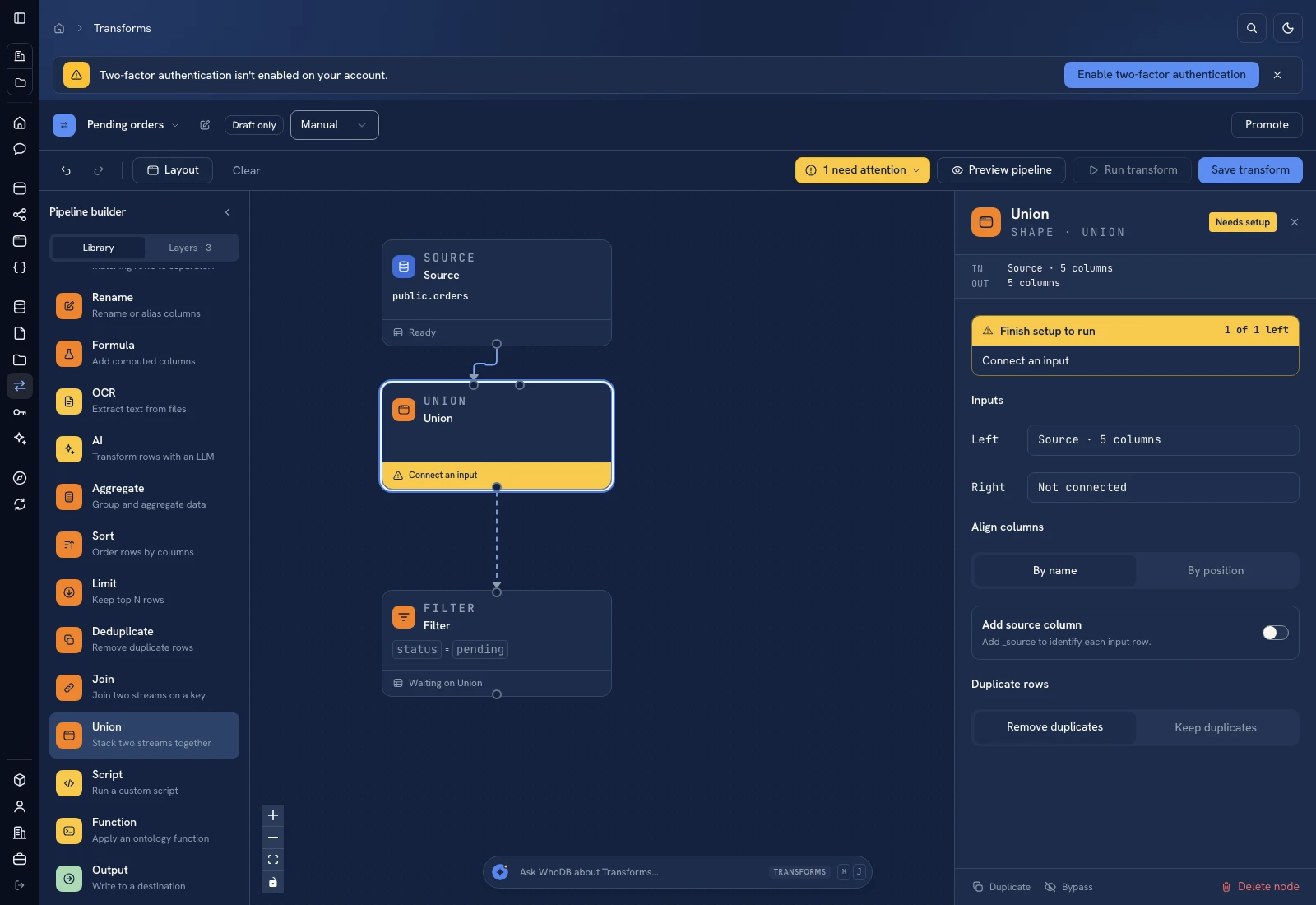 Union: align normalized input streams by column name.
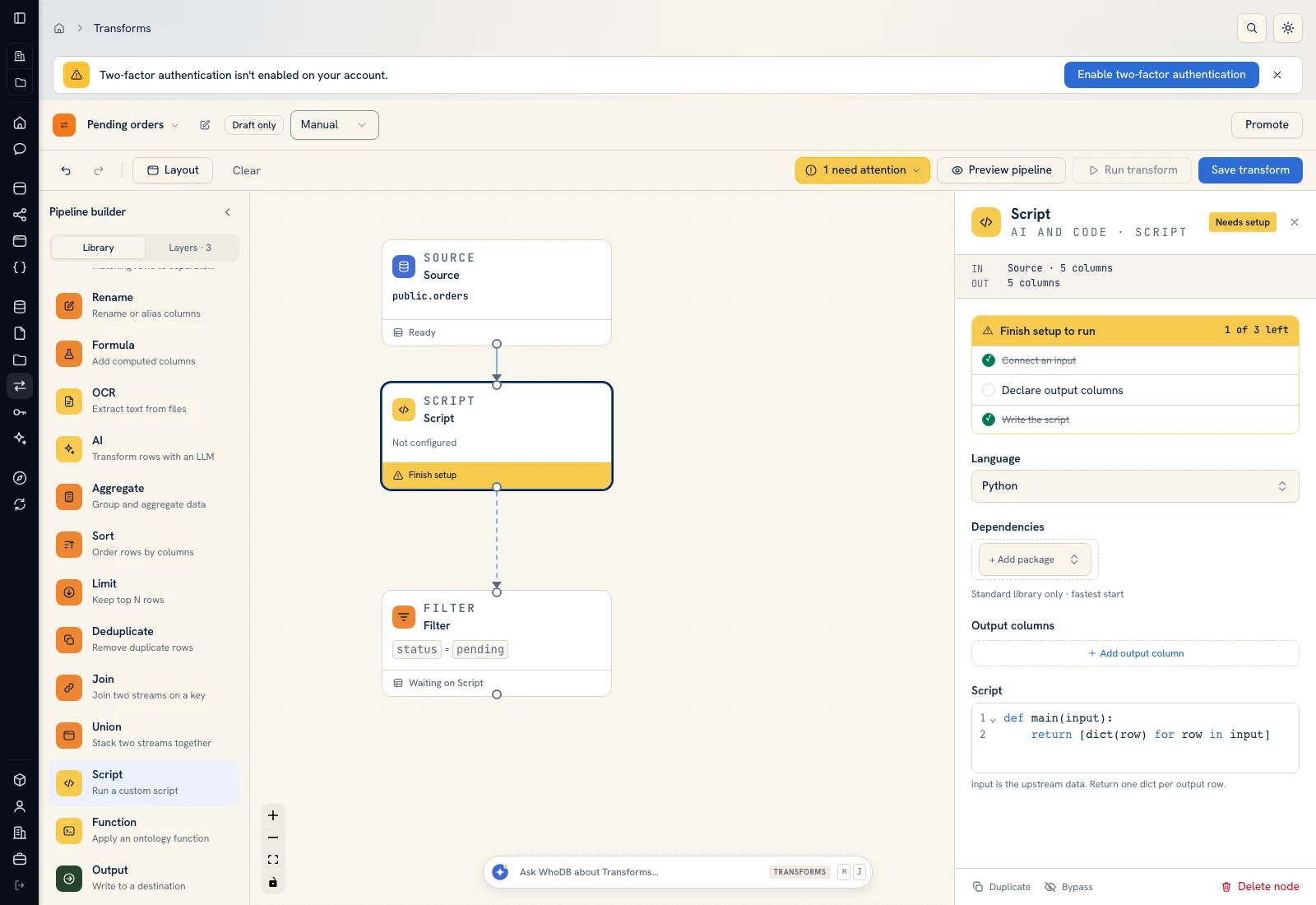 Script: select Python, declare output columns, and paste the calculation.
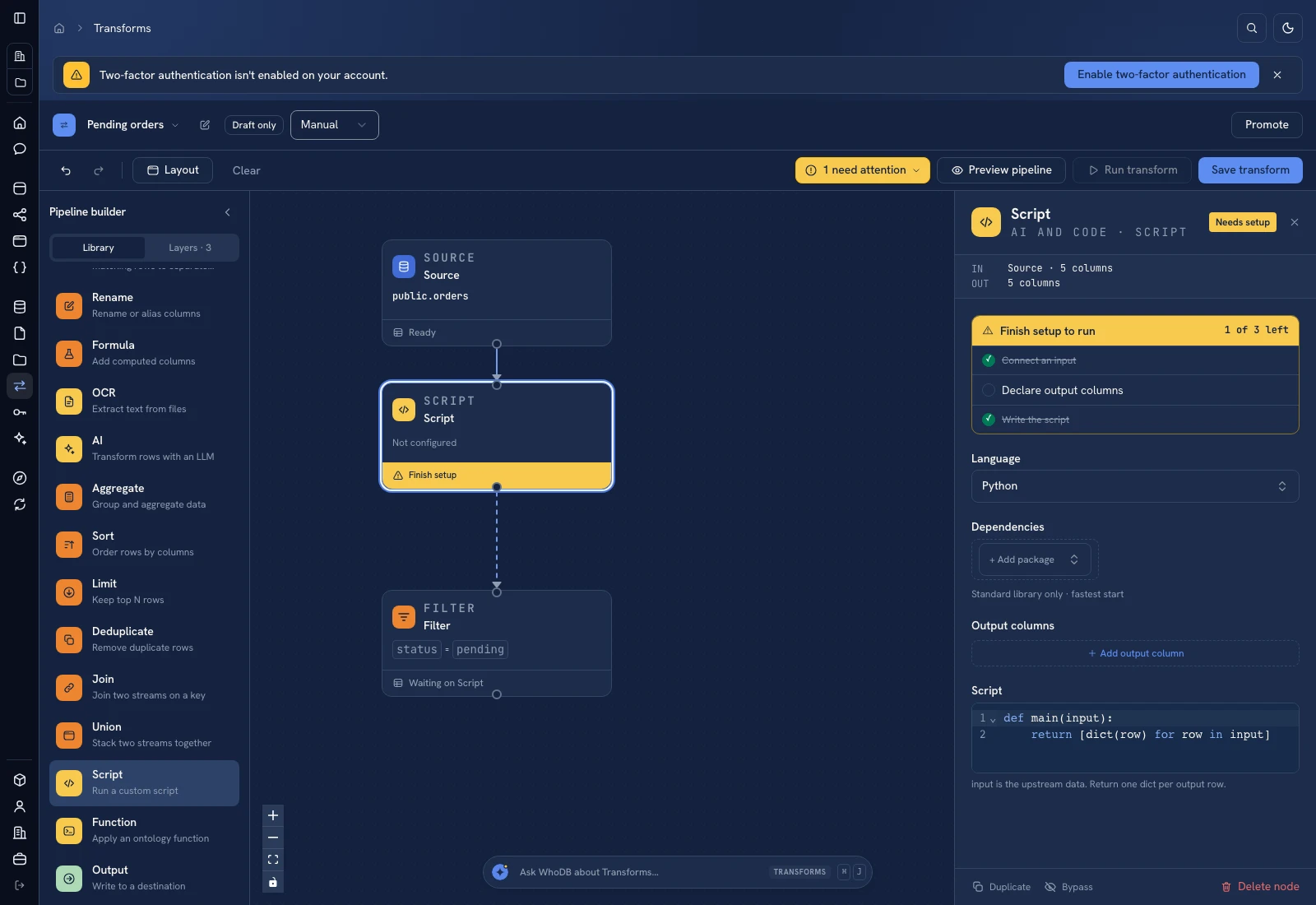 Script: select Python, declare output columns, and paste the calculation.
Put it to work#
Keep payment IDs and allocation history in the source. Define credit notes, reversals, write-offs, and tolerance rules before extending this example. A matched amount does not establish that a payment cleared or that the accounting period is correct. Compare result totals with both source extracts after every refresh.
For output mapping and rerun behavior, follow Write pipeline outputs. For a team-facing screen, follow Create an app and Connect state and data.
Was this page helpful?