
Build a late-shipment escalation queue
Give fulfillment teams a deterministic list of shipments past their promised date, ordered by lateness. Delivered and cancelled shipments stay out of the active escalation queue.
Before you begin#
You need a project where you can create transforms and datasets, plus an available Python script runtime. The sample contains only synthetic records. Start with the complete CSV, not a limited preview of a larger business dataset.
Follow Run a use-case recipe for the shared input, destination, and app steps.
Sample input#
Download the CSV, or copy it into Transforms → Library → Seed → Paste CSV.
Csv
shipment_id,promised_date,status,owner
SH-1,2026-11-08,in_transit,Logistics
SH-2,2026-11-12,in_transit,Logistics
SH-3,2026-11-01,delivered,Warehouse
SH-4,2026-11-10,pending,Warehouse
Build it in WhoDB#
- Create Late shipment review with a Seed input. Use ISO calendar dates and the status vocabulary shown in the fixture.
- Add the Python Script below. The fixed
AS_OFdate makes the example reproducible; replace it with your agreed reporting date when operationalizing. - Preview all rows, then add Filter on
late = true. A shipment promised today is not late under this rule. - Add Sort on
days_latedescending and write toshipment_escalations. - Build an app table showing shipment ID, promise, days late, and owner. An agent records a follow-up decision separately; generating this dataset does not send a carrier escalation.
Script and output columns#
In Script → Output columns, add these names exactly, in this order:
Text
shipment_id, promised_date, status, owner, days_late, late
Paste this code into Script. Select Python and leave Dependencies empty; it uses the Python standard library.
Python
from datetime import date

AS_OF = date(2026, 11, 10)

def main(input):
    output = []
    for row in input:
        days = max(0, (AS_OF - date.fromisoformat(row["promised_date"])).days)
        active = row["status"] not in ("delivered", "cancelled")
        output.append(dict(row, days_late=days, late=active and days > 0))
    return output
Download the script · Expected fixture output. The expected output is computed from this CSV and script; it is not a screenshot of a hosted run.
Check the result#
At 2026-11-10, SH-1 is two days late. SH-2 is not due, SH-3 is already delivered, and SH-4 is due today. Exactly one active escalation should remain.
Find the controls#
These screenshots show the current pipeline configuration controls used in this recipe. They come from the manual’s synthetic demonstration workspace; they do not show this use case already executed.
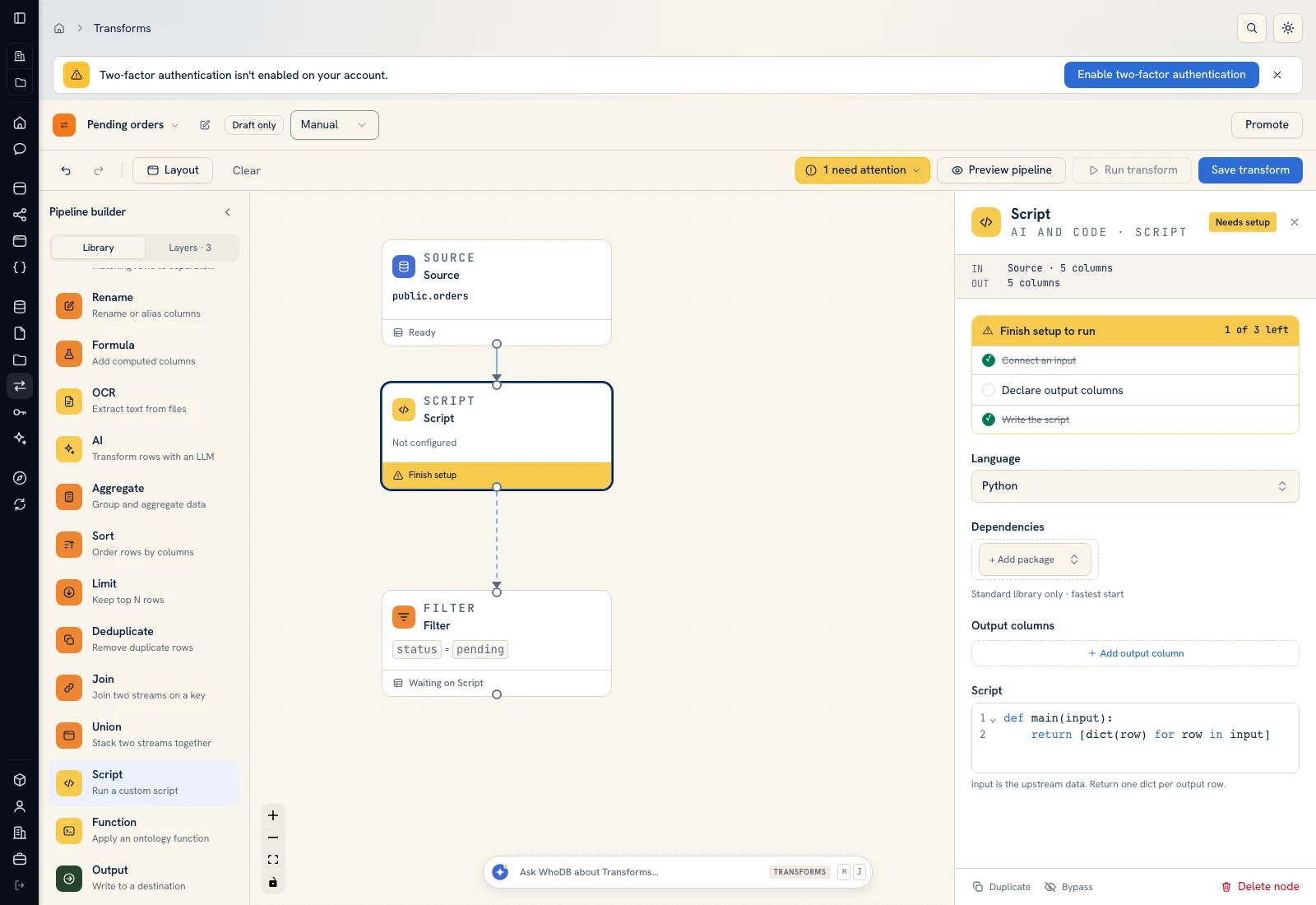 Script: select Python, declare output columns, and paste the calculation.
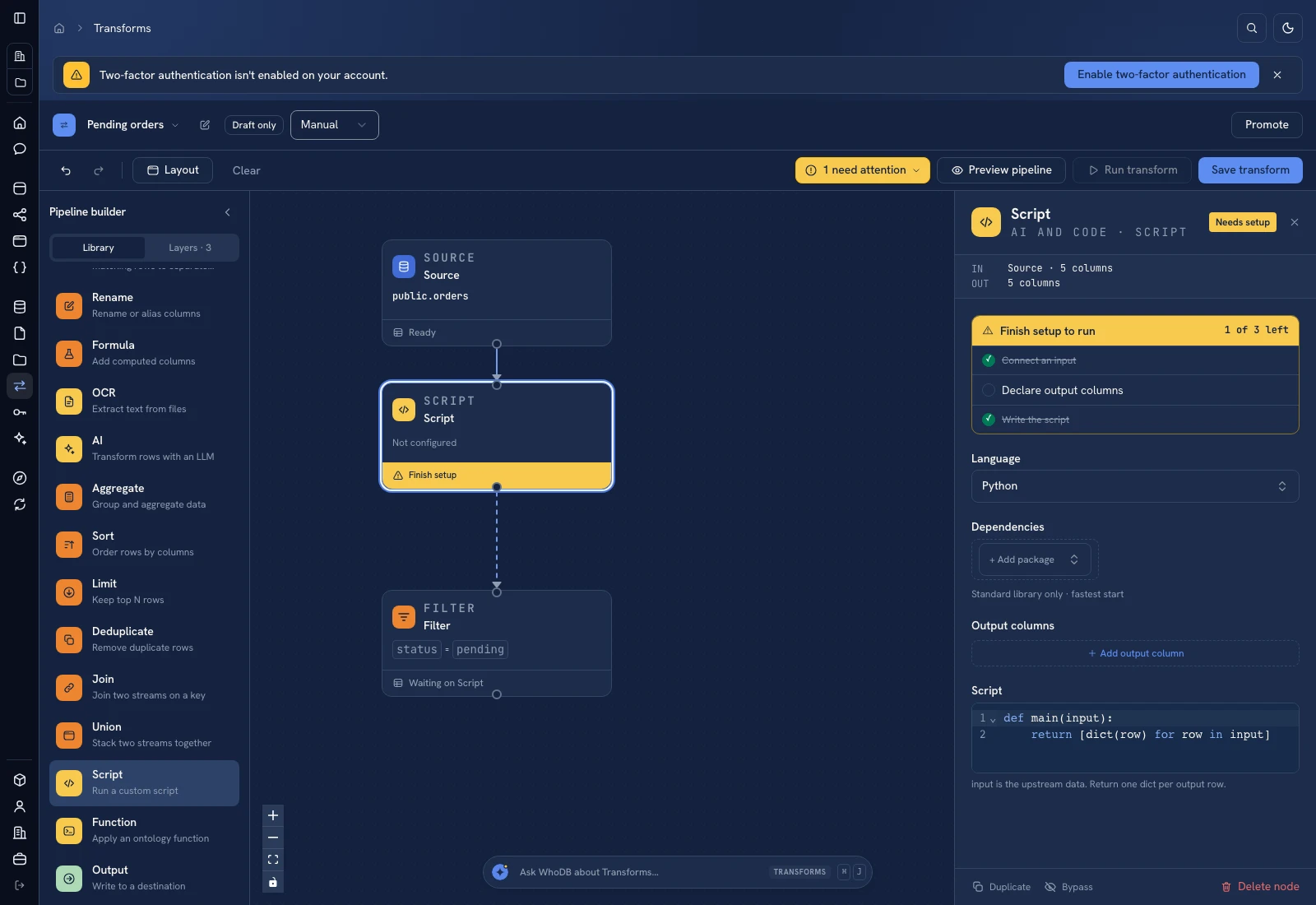 Script: select Python, declare output columns, and paste the calculation.
Put it to work#
Choose the business timezone and whether calendar days or business days define lateness. Import carrier updates before rerunning the queue. Track overdue counts and unresolved age, and distinguish shipments that were delivered late from shipments that still require intervention.
For output mapping and rerun behavior, follow Write pipeline outputs. For a team-facing screen, follow Create an app and Connect state and data.
Was this page helpful?