
Create a package version
Where: Packages → New package. Have the saved app/model/function drafts or versions ready. Use synthetic seed records for examples intended to travel to other projects.
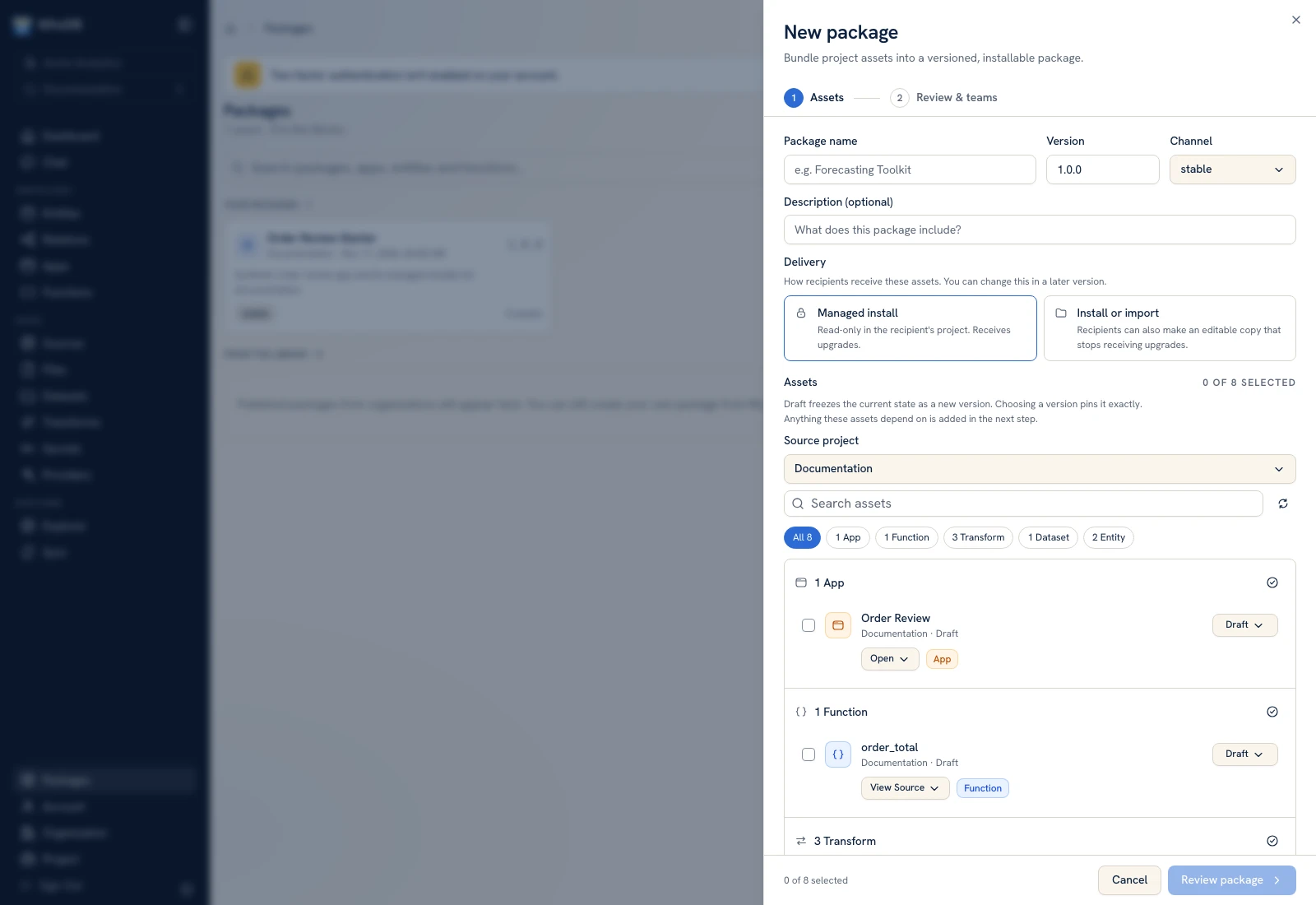 The first package step defines identity, delivery, and the included assets.
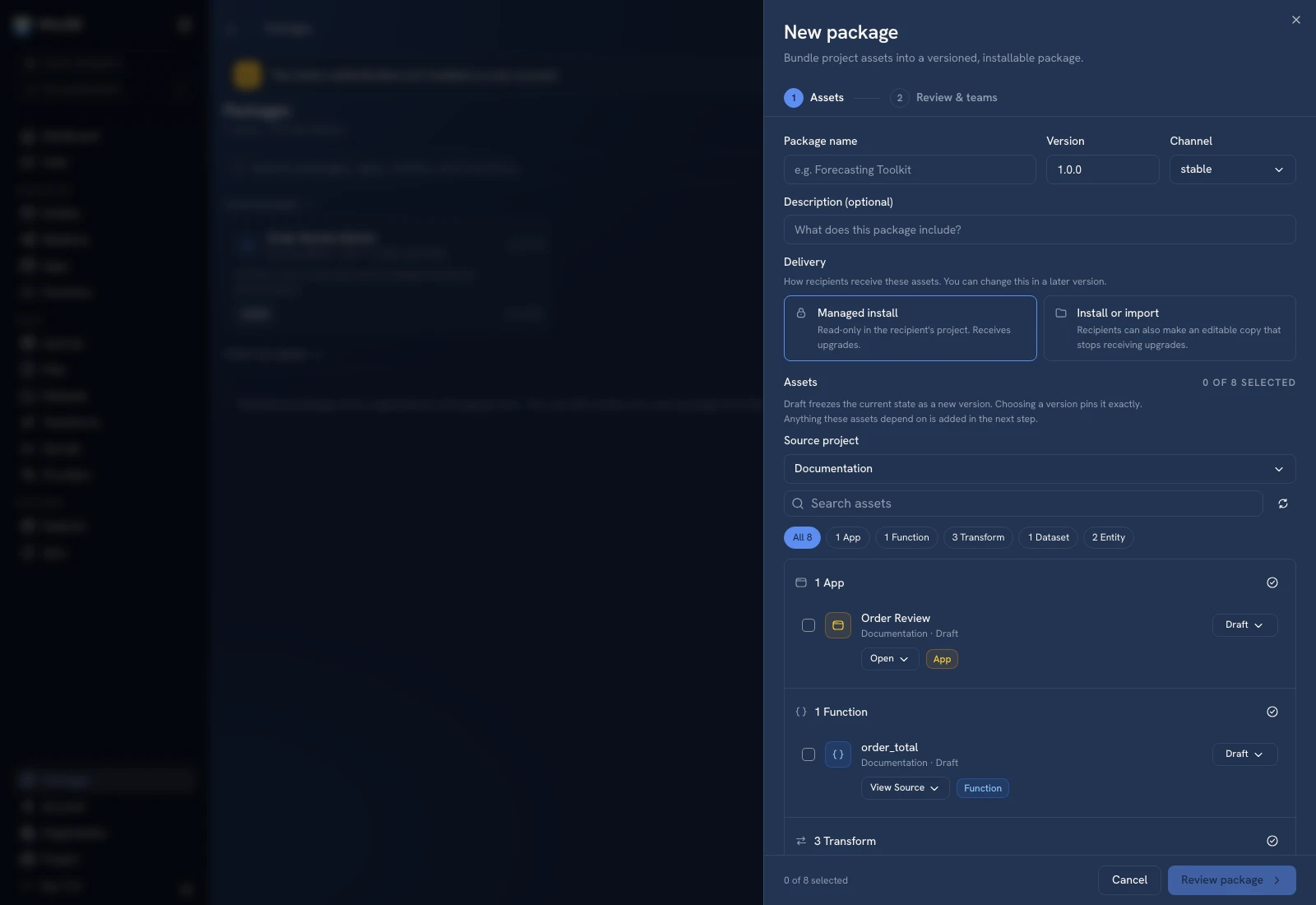 The first package step defines identity, delivery, and the included assets.
Step 1: Assets#
- Enter Package name and Version.
- Choose the Channel, such as stable, and supply a useful description.
- Under Delivery, choose the managed-install or install/import policy offered by the form.
- Select the Source project.
- Use the asset type filters and select the intended app, functions, transforms, datasets, or entities.
- For each selection, inspect whether it uses Draft or a pinned version.
- Click Review package.
Draft freezes the current state as a new version for the package. Choosing an existing version pins that snapshot exactly. A previously created package with the same name/version is rejected, so choose a new version for changed content.
Step 2: Review and teams#
Inspect automatically included dependencies. Remove an accidental top-level selection before publishing rather than assuming dependencies will be omitted. Review visibility and importability policies for implementation you intend to expose or hide.
Check source, secret, and provider requirements. The package describes the recipient's bindings; it must not be used as a way to distribute usable secret values. Inspect managed dataset rows that may be included as seed data.
Use the team choices to deliberately share the package. Confirm the final package name/version and publish.
Verify the frozen contents#
Open the package's Contents and Versions views. Check included resources and dependency edges against the intended workflow. Later edits to the source draft should not silently change this immutable package's contents.
Create a small destination test project and preview installation. Verify requirements and the copied workflow before distributing a shared link. Package creation is not proof that a recipient can install or run the result.
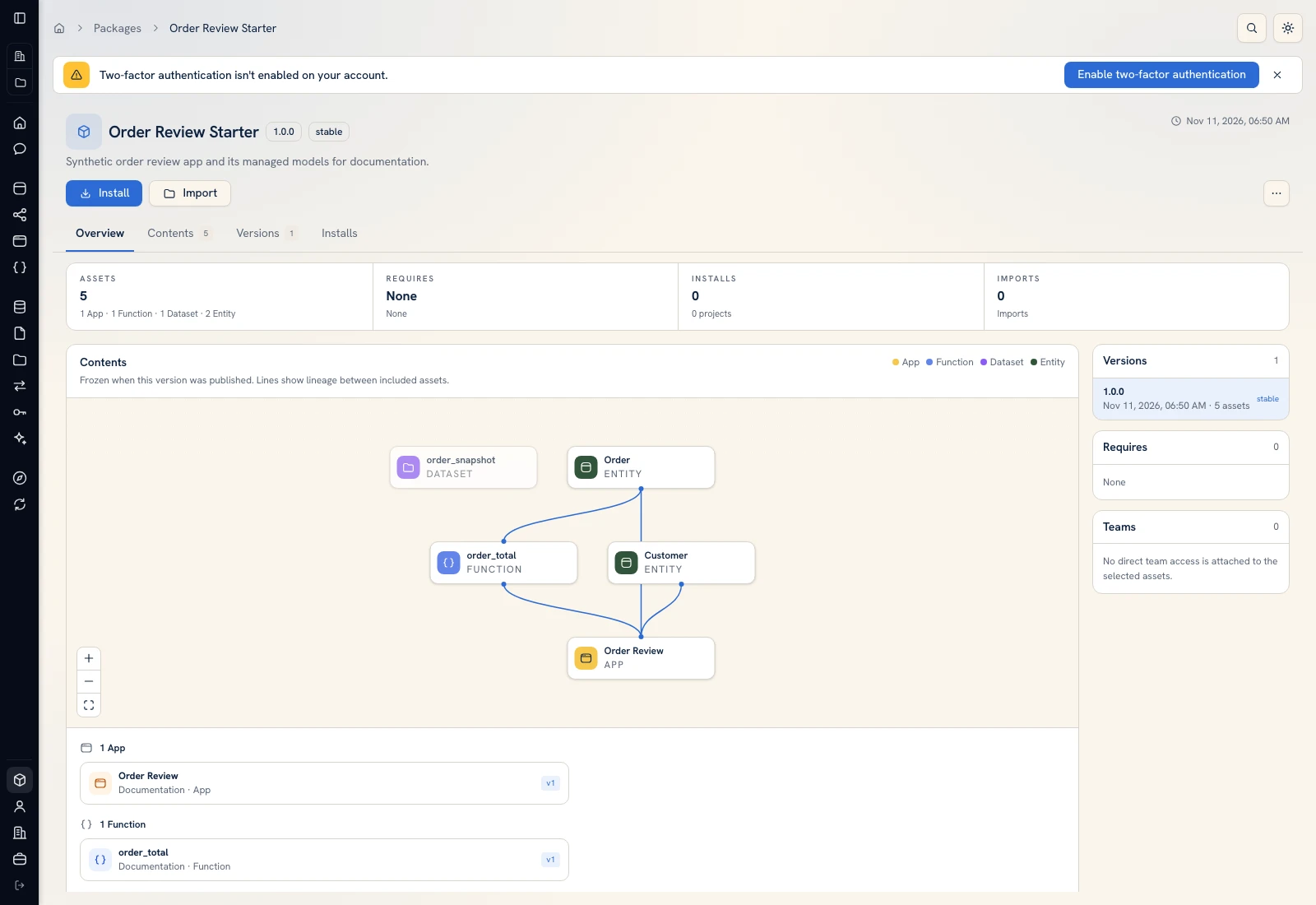 The published bundle exposes its included asset versions and dependency graph.
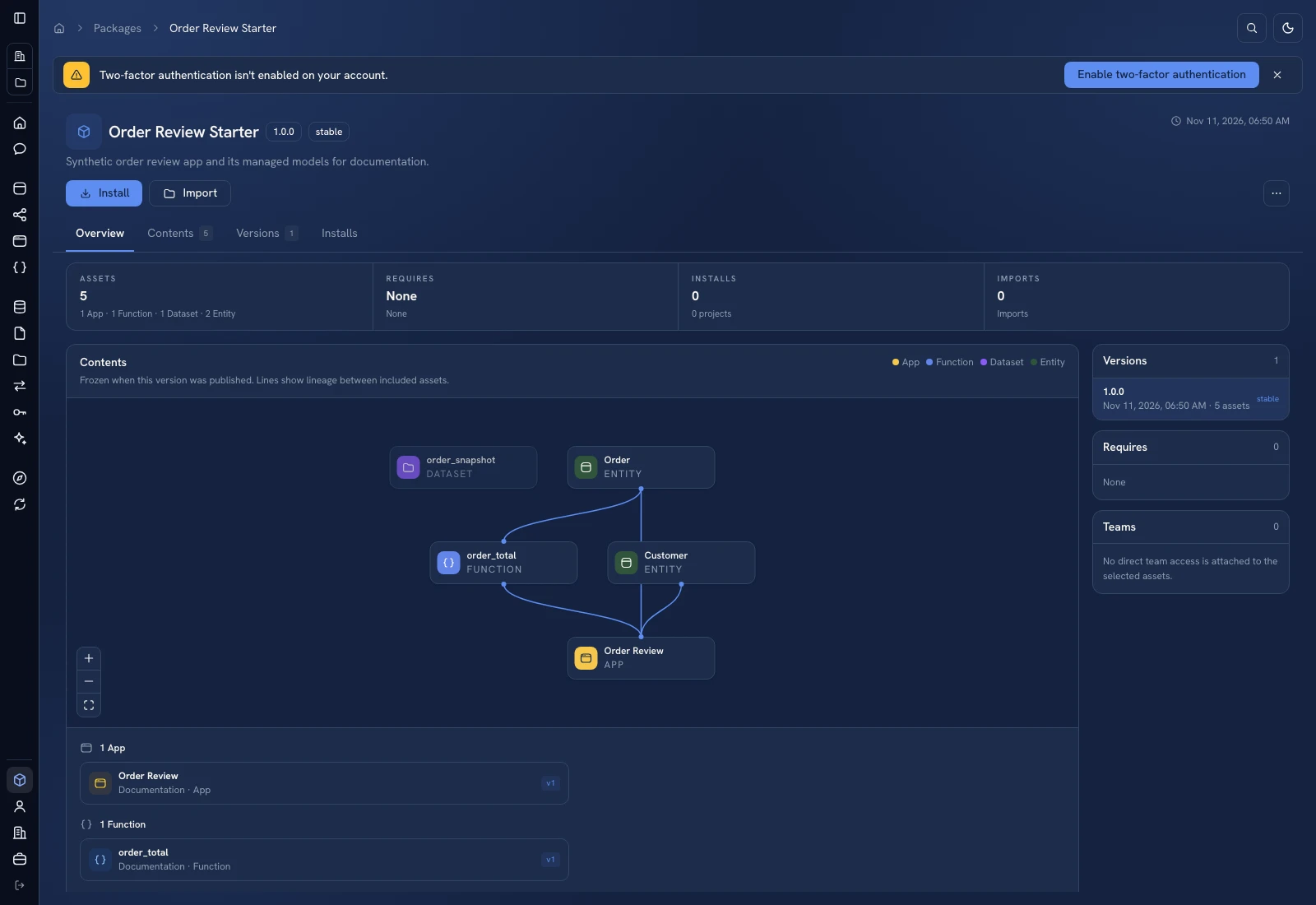 The published bundle exposes its included asset versions and dependency graph.
Was this page helpful?